Find Your Perfect Fringe with Our AI Bangs Filter!
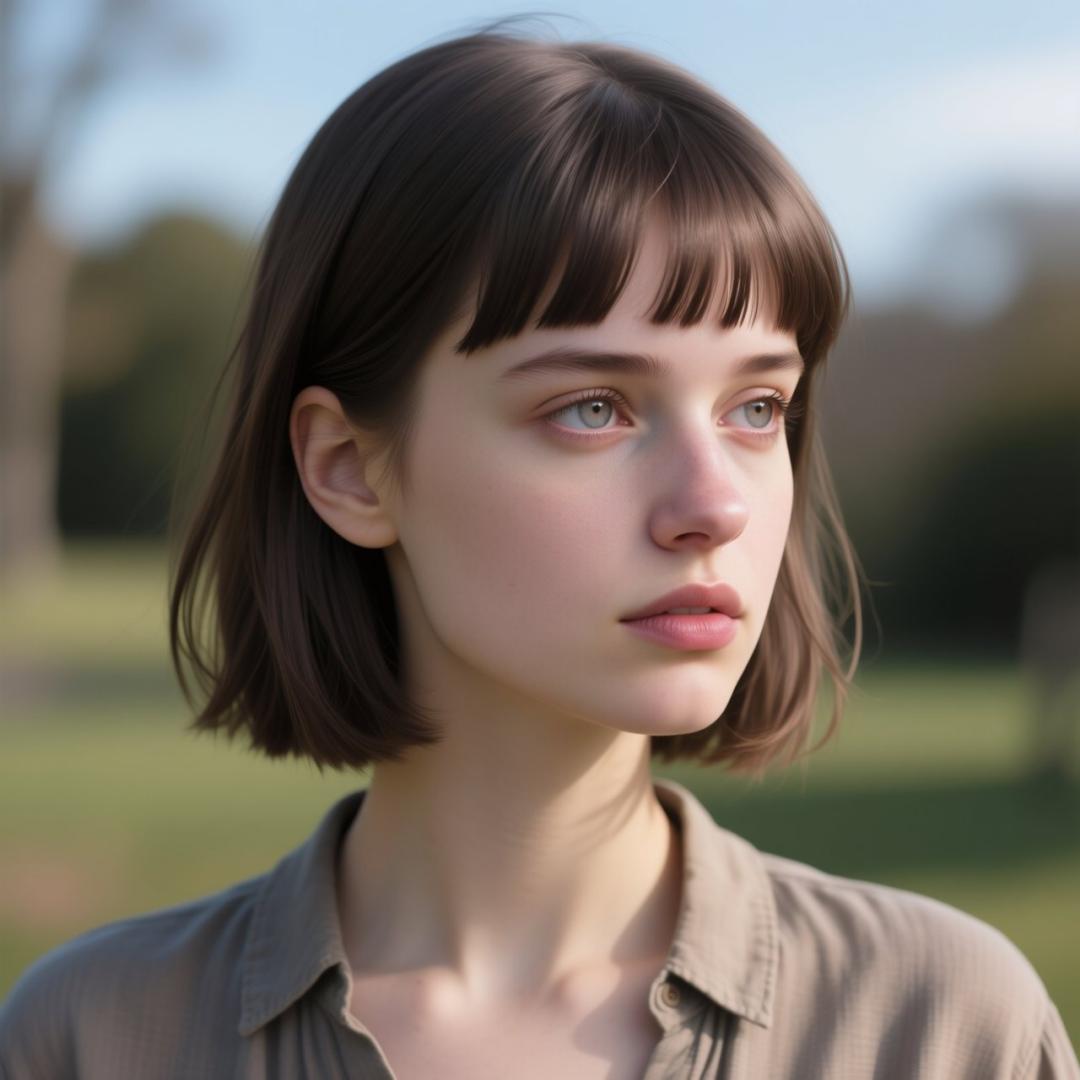
Thinking about a new haircut but unsure if bangs will suit you? The commitment of a fringe can be daunting, but now, you can virtually try on bangs without a single snip! Our AI Bangs Filter allows you to experiment with various styles, from wispy and curtain bangs to bold, blunt fringes. All from the comfort of your home.
Traditionally, finding the right bangs involved guessing, looking through magazines, or even trying on clip-in fringes. These methods often fell short of providing a realistic preview of how a new style would look on your unique face shape and hair texture.
AiSudo's AI Bangs Filter tool simplifies this decision. It lets you add different types of bangs to your photos, giving you a fresh perspective on potential new looks without the risk or the need for extensive styling knowledge.
How to Try On Bangs with AI
To begin trying on bangs virtually, simply click the button above to open the AiSudo App 👆️
Then, follow these steps:
Upload Your Photo: First, upload a clear photo of yourself into the Reference Images panel. A front-facing photo with your hair pulled back or styled naturally works best.
- Click "+ Image button"
- Choose the photo you'd like to transform.
Set up the parameters:
- Head over to the "Basic Settings Panel." (If you don't see it, just click the settings button.)
- Decide on the width and height you'd like for your result.
- Adjust the "inference steps." A higher number here means a better result, but it will use up more credits.
Note: Some models, like P-Image, can automatically detect the settings above. You can skip these steps if the settings aren't visible.
The AiSudo AI Bangs Filter tool provides a simple way to add bangs to your pictures:
- Using prompts.
Try On Bangs Using Prompts
This method allows you to guide the AI with text descriptions, transforming your image with various bangs styles.
After uploading your photo, Go to the prompt panel. There might be a default prompt there, but feel free to rewrite it to try new things. Just type in what you want: clearly tell the AI to add bangs to your photo. You can even get specific about the kind of bangs you're going for!
Here are some prompt ideas:
Add wispy bangs
Give her curtain bangs
Add blunt bangs
Add a long side fringe
Give her choppy bangs
Add micro bangs
Give her feathered bangs
Tips for Using Prompts:
- Be Specific: Include details about the style, length, and texture of the bangs you want. The more specific you are, the better the AI can understand your vision.
- Example: "Give her long, feathered curtain bangs" vs. "Add bangs."
- Keep it Simple: Use clear, direct descriptions. Avoid overly complex sentences or ambiguous terms.
- Experiment with Styles: Don't be afraid to try different styles. Use your daily free credits to see how various fringes look on you.
- Focus on the Face: Ensure your uploaded photo clearly shows your face for the best results.
- Refine Your Prompt: If the first result isn't perfect, try rephrasing your prompt or adding more detail. For example, if "add bangs" isn't specific enough, try "add soft, wispy bangs."
Key Features of AiSudo's AI Bangs Filter Tool
AiSudo's AI Bangs Filter tool helps you easily visualize different fringe styles on your face. Here’s what it offers:
- Virtual Try-On: Instantly see how various bangs styles look on you without a real haircut.
- Variety of Styles: Experiment with popular bangs like curtain bangs, wispy bangs, blunt bangs, micro bangs, and more.
- Realistic Integration: The AI seamlessly adds bangs, matching your hair color, texture, and face shape for a natural look.
- Prompt-Driven Control: Guide the AI with simple text descriptions to specify the exact style of bangs you want.
- User-Friendly Interface: Easy to use for everyone, regardless of their tech or editing skills. Just upload, prompt, and generate.
- Fast Processing: Get high-quality results quickly, seeing your new look in seconds.
- Cost-Effective: Save money and avoid hair salon regrets by trying on styles virtually first.
- Affordable Access: Benefit from 15 free credits daily (approximately 5 edits). Paid plans are available for more extensive use.
Frequently Asked Questions about the Bangs Filter App
How accurate is the AI in adding bangs to my photo?
Our AI is designed to be highly accurate, blending the chosen bangs style realistically with your existing hair and face shape. It considers your current hair color and texture to create a natural-looking result, making it a great virtual bangs try on tool.
Can I try on different types of bangs, like curtain bangs or wispy bangs?
Absolutely! Our tool supports a wide range of bangs styles. You can specifically request "curtain bangs virtual try on," "wispy bangs filter," "blunt bangs," or "long side fringe" in your prompt to see how each style suits you. It’s a comprehensive bangs simulator.
What kind of photos work best for the bangs filter?
For the best results, upload a clear, front-facing photo of yourself. Photos where your hair is pulled back or styled naturally, clearly showing your forehead and hairline, tend to work best for the virtual bangs try on.