Convert to Black and White Instantly
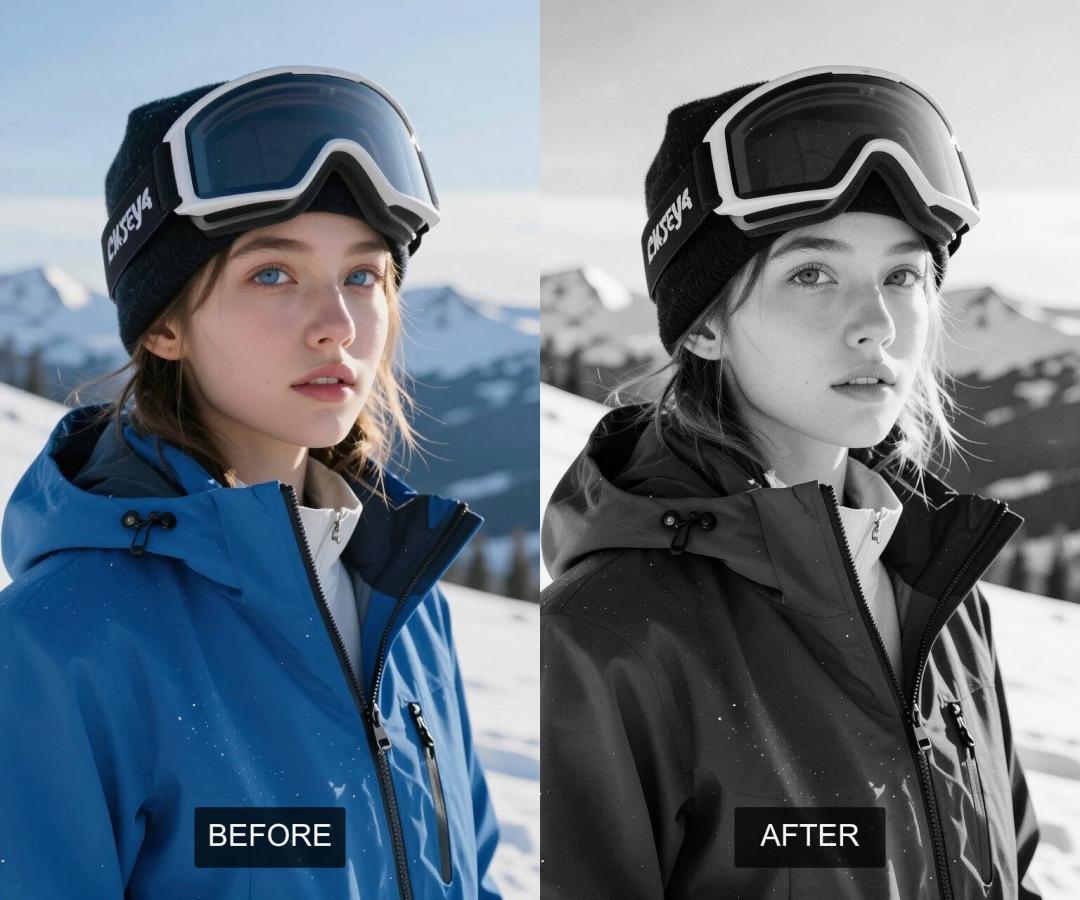
In a world full of vibrant colors, sometimes the most striking images are those stripped down to the simplicity of black and white. Black and white photography has a timeless appeal, focusing on light, shadow, texture, and composition rather than color. It can evoke strong emotions, add a classic touch, or highlight details that might get lost in a colorful scene.
Traditionally, converting a color photo to black and white involved careful adjustments in photo editing software to ensure the monochrome version was impactful and not just dull. But now, with the power of Artificial Intelligence, transforming your photos into beautiful black and white images is easier than ever.
AiSudo's AI Black and White Photo Converter is designed to make this classic transformation simple and accessible. It allows you to convert any color image into a compelling black and white photograph, giving your pictures a fresh, artistic look without requiring advanced editing skills or time-consuming manual work.
How It Works
To start converting your photos to black and white, just click the button above to open the AiSudo App 👆️
The AiSudo AI Black and White Photo Converter offers a straightforward method to turn your color pictures into striking monochrome images:
- Using a simple prompt.
Convert Color Photo to Black and White Using Prompts
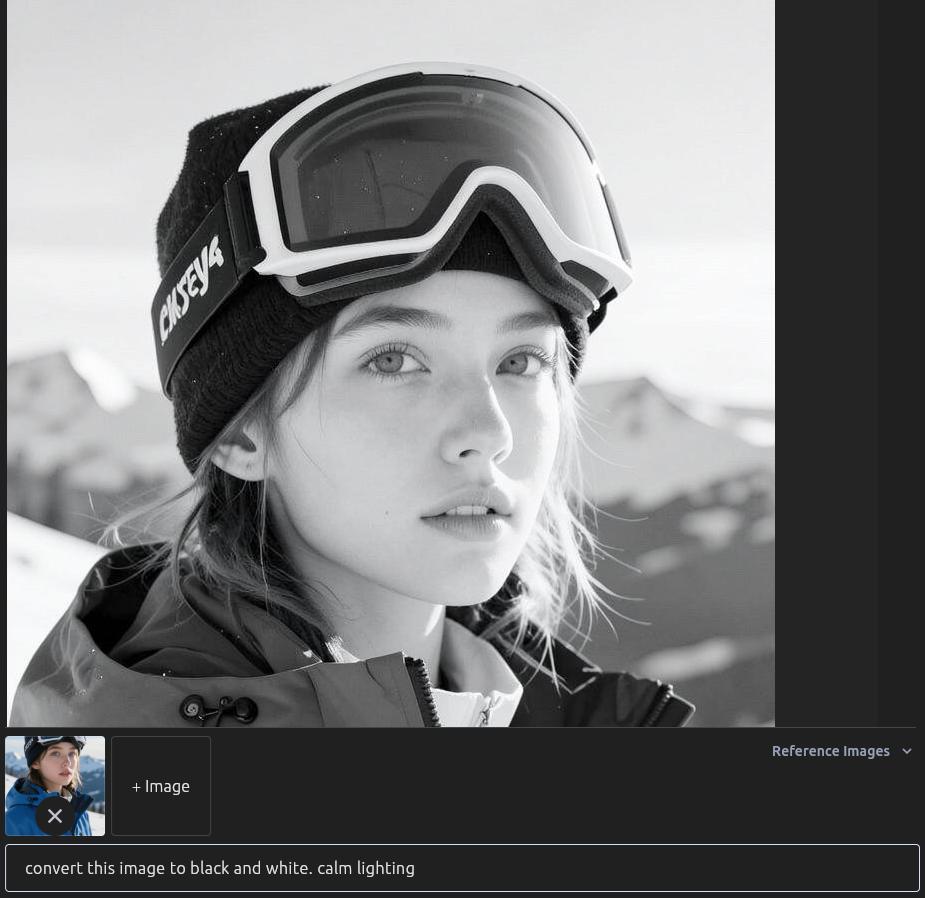
This method allows you to command the AI to convert your image using natural language.
- Upload Your Image: First, upload the photo you want to convert to the Reference Images panel.
- Type Your Prompt: Clearly describe your wish to make the image black and white. The AI will understand your request and create the monochrome version.
Here are some prompt ideas:
Convert this image to black and white.
Make this photo black and white.
Change this picture to monochrome.
Tips for Using Prompts:
- Keep your prompts direct and simple. The AI is designed to understand straightforward requests for black and white conversion.
- If you want a specific "feel" to the black and white (e.g., "high contrast black and white," or "soft, vintage black and white"), you can try adding those descriptors, though the primary function is a general conversion.
- The AI handles the nuances of converting colors to shades of gray, ensuring a balanced and visually appealing result.
Key Features
- Effortless Conversion: Turn your color photos into black and white with just a few clicks and a simple command.
- AI-Powered Accuracy: The artificial intelligence intelligently translates colors into appropriate grayscale tones, ensuring a balanced and visually pleasing monochrome image.
- Realistic Results: The converted black and white photos maintain the natural textures, lighting, and details of the original, providing an authentic monochrome look.
- User-Friendly Interface: Simply upload your image and type your request; the AI handles all the complex processing. No prior photo editing experience is necessary.
- Fast Processing: Get your black and white photos quickly, allowing you to convert multiple images in a short amount of time.
- Focus on Composition: By removing color, the tool helps emphasize other photographic elements like light, shadow, lines, and forms, enhancing the artistic impact of your photos.
Frequently Asked Questions
How does this tool "make photo black and white"?
You upload your color photo, then use a simple prompt like "make photo black and white." The AI analyzes the color information and translates it into a range of grayscale tones, creating a classic black and white image.
Can I convert any color picture to black and white?
Yes, the tool is designed to convert any color picture to black and white, regardless of its original content or complexity.
What's the difference between "make photo black and white" and "make photo grayscale"?
While often used interchangeably, "grayscale" technically refers to an image where each pixel's color is a single sample, representing only an amount of light. "Black and white" can sometimes imply a more artistic or stylized conversion with adjustments to contrast and tone. Our tool aims to provide a visually pleasing, high-quality monochrome conversion, similar to what you'd expect from a good black and white photograph.
Can I control the contrast or tone of the black and white conversion?
Yes! While the AI provides a balanced conversion by default, you can often guide it with your prompts. For instance, you can try prompts like "Make this photo black and white with high contrast" or "Convert to black and white, soft tones" to influence the outcome.
Will converting colour photo to black and white lose image quality?
The AI conversion aims to maintain the original image quality as much as possible. While color information is removed, the resolution and clarity of your photo should remain high.