Instant Photo Extension and Uncropping
Have you ever had a picture that was almost perfect, but it just didn't show enough of the background? Perhaps a beautiful landscape was cut off, or a group photo felt a little too cramped. Traditionally, expanding an image meant painstakingly adding elements or cloning parts of the photo, which required advanced editing skills and a lot of time.
But now, with the power of AI, you can easily extend your photos beyond their original borders. AiSudo's AI Photo Extender & Uncrop tool is designed to make this process simple and accessible. It allows you to naturally stretch the edges of your pictures, creating a wider view without needing to be an expert in graphic design.
How It Works
To start expanding your photos, just click the button above to open the AiSudo App 👆️
The AiSudo AI Photo Extender & Uncrop tool offers a straightforward way to expand your images:
Guide to Extend Your Photo Background
There are four steps involved, and while they might seem a little complex at first, AiSudo is designed to give you complete control over your image editing.
Step 1: Prepare Your Canvas
Before our AI works its magic, you'll give it a little space to play with. This is where your existing photo editing app comes in.
Crop Your Image: Using your favorite photo editing app (like Photoshop, GIMP, Preview, etc.), open the image you wish to extend.
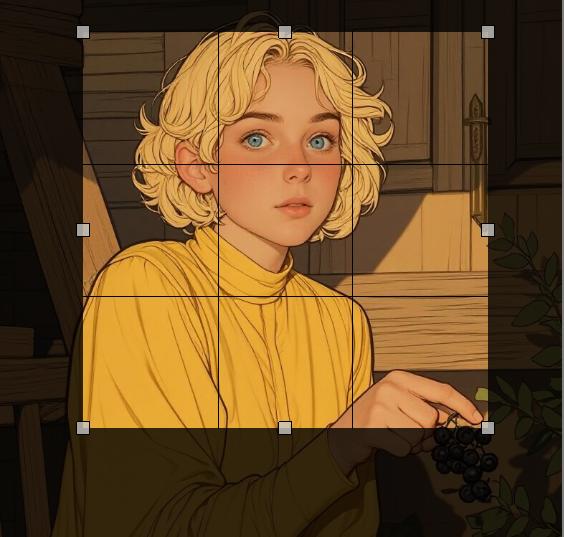
Extend & Fill with White: Crop your photo, extending the canvas size in the direction you want to expand. Crucially, leave the newly extended background area completely white. This white space acts as a clear signal for our AI to get to work.
Visual Example:

Step 2: Upload Your Image
Upload the photo you want to expand by clicking the Reference Images panel.
Step 3: Set Your Target Resolutions
Some models like P-Image, will automatically figure out the best resolution for you, so you can skip this if you don't see options for width and height.
Otherwise, head to the room settings (if you can't spot it, just click the settings button). There, you'll be able to set the width and height you'd like for your images.
Step 4: Type Your Prompt
Here's what the AiSudo UI will look like in the end:
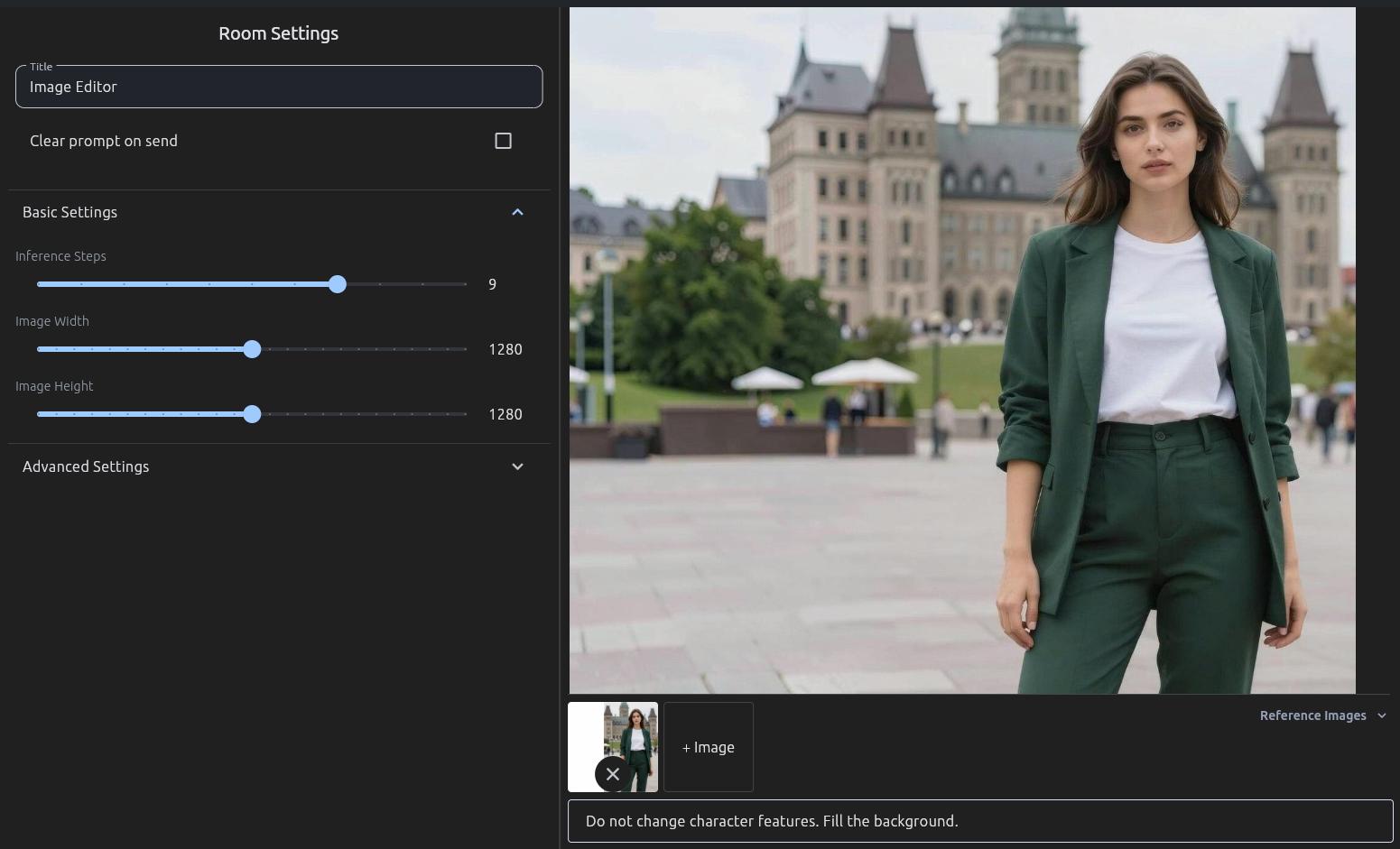
Clearly describe how you want the background to be extended. The AI will then generate the expanded portions of your image.
Here are some prompt ideas:
Fill the background.
Extend the photo background with a sunset.
Fill the background with more sky and clouds.
Tips for Using Prompts for Extending Background:
Be specific about what you want to see in the extended areas. For example, instead of just "extend background," try "extend background with a lush green forest" or "extend background to show more of the city skyline."
Keep your descriptions brief and to the point.
If your image has a specific style (e.g., vintage, vibrant, minimalist), you can mention it in your prompt to help the AI match the aesthetic.
You can also specify directions, like "extend the background to the left with more ocean" or "expand the top of the image to show more stars."
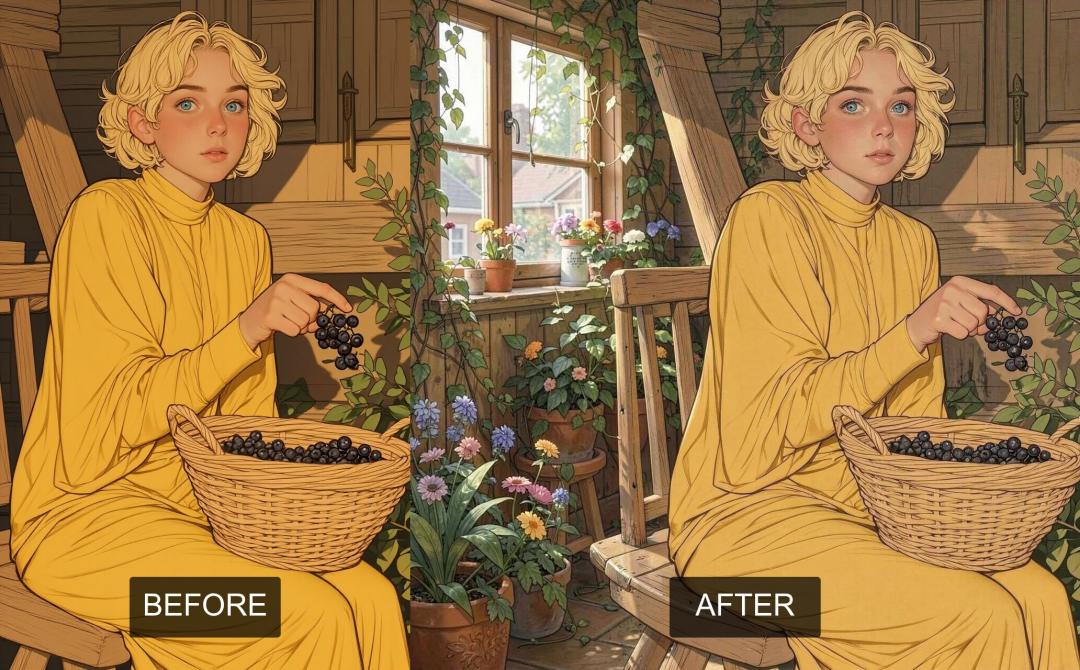
Before and after comparison
Photo Example:
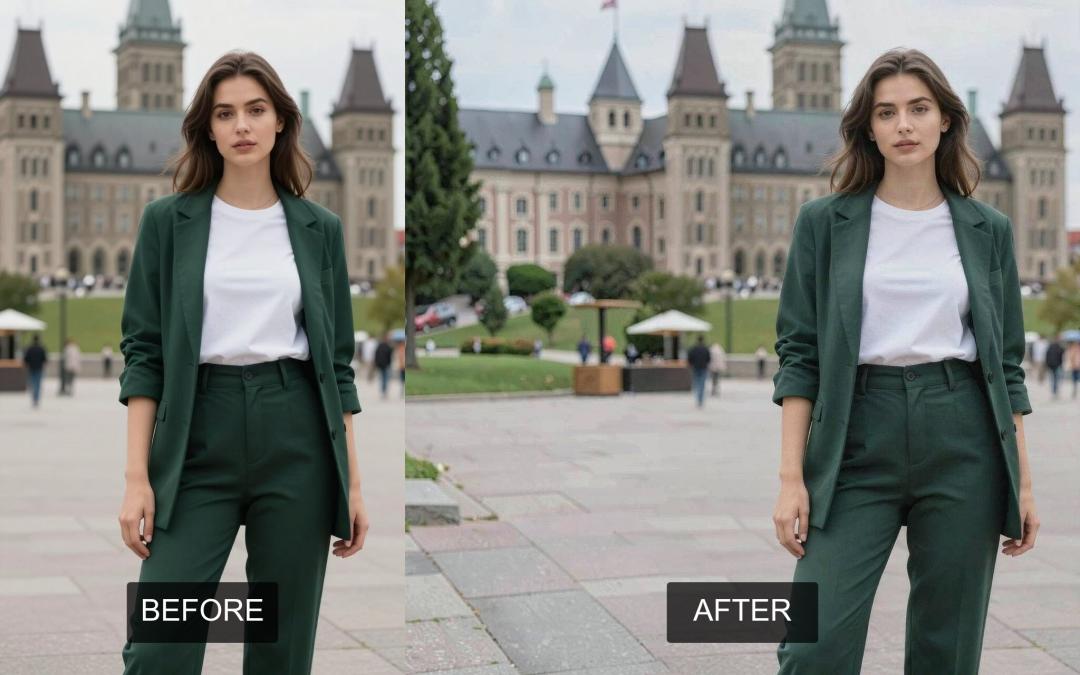
Illustration Example:
Key Features of AiSudo's AI Photo Extender & Uncrop
AiSudo's AI Photo Extender & Uncrop tool helps you easily expand and uncrop your images. Here’s what it offers:
- Effortless Expansion: Extend your photos with just a few clicks or by typing a simple description.
- Natural Background Generation: The AI intelligently generates new parts of your background, blending them seamlessly with the original image.
- Text-Based Customization: Describe the kind of extension you want (e.g., "more sky," "a forest backdrop"), and the AI will create it.
- Realistic Results: The expanded areas look natural, matching the original image's lighting, textures, and style.
- Fast and Efficient: Get high-quality expanded images quickly, allowing you to enhance many photos in a short amount of time.
Frequently Asked Questions
What is an AI image extender? An AI image extender is an online tool that uses artificial intelligence to expand the boundaries of your photos. It intelligently generates new content that blends seamlessly with your original image, making it wider, taller, or both, without you having to manually edit.
How does uncrop image online work? Our uncrop image online tool allows you to upload a photo and then use prompts to describe how you want to extend its background. The AI then processes your request, generating new pixels beyond the original edges of your image, effectively "uncropping" it to reveal more of the scene.
Can I extend photo background to any size? While there are practical limits, our tool is designed to significantly extend photo backgrounds. You can experiment with different prompts to achieve the desired expansion, creating a wider canvas for your images.
Is it possible to uncrop a photo someone sent you? Yes, absolutely! If you receive a photo that's cropped too tightly, you can upload it to our AI Photo Extender & Uncrop tool. Then, use a prompt like "Extend the photo background" or specify what you'd like to see more of, and the AI will help you uncrop it.
In a world where every pixel counts, the ability to expand and enhance your images is no longer a luxury, but a creative necessity. AiSudo's AI Photo Extender & Uncrop tool isn't just about adding more background, it's about unlocking the full potential of your photos, transforming cramped compositions into expansive vistas, and giving your memories the breathing room they deserve.
Ready to see your photos in a new light? Give AiSudo's AI Photo Extender & Uncrop a try and unlock the full story within every image.