Instant Hair Color Swap
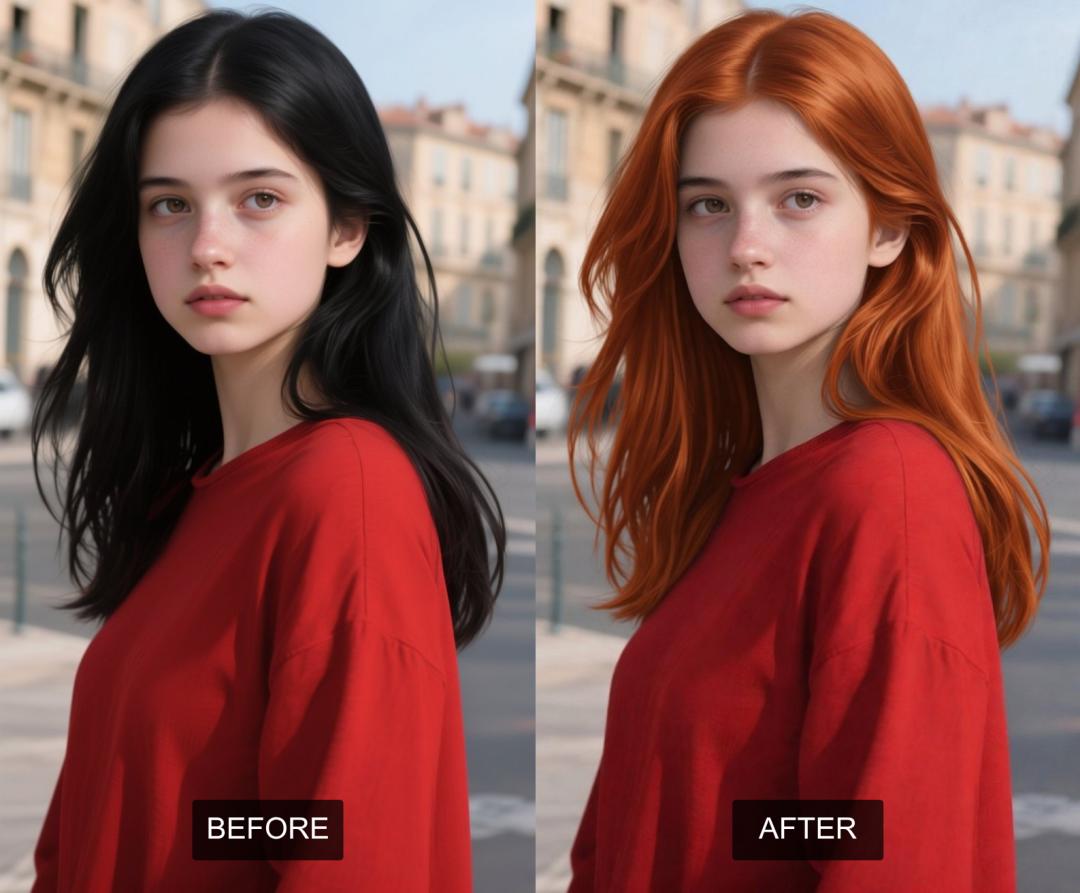
Want to switch up your look without the commitment? Our AI Photo Hair Color Changer lets you easily change hair colors in any picture! Forget complicated editing, with just a few clicks or a simple description, you can adjust shades, add highlights, and even try out new styles.
Traditional photo editing for hair color can be tricky, requiring lots of skill and time to get it right. But thanks to AI, this used to-be difficult task is now super simple and fun to use!
AiSudo's AI Photo Hair Color Changer is designed to make this creative process a breeze. It lets you totally transform hair colors in your photos, giving them a fresh vibe without needing any fancy graphic design skills or tedious manual work.
How It Works
To start changing hair color in your photos, just click the button above to open the AiSudo App 👆️
Change Hair Color Using Prompts
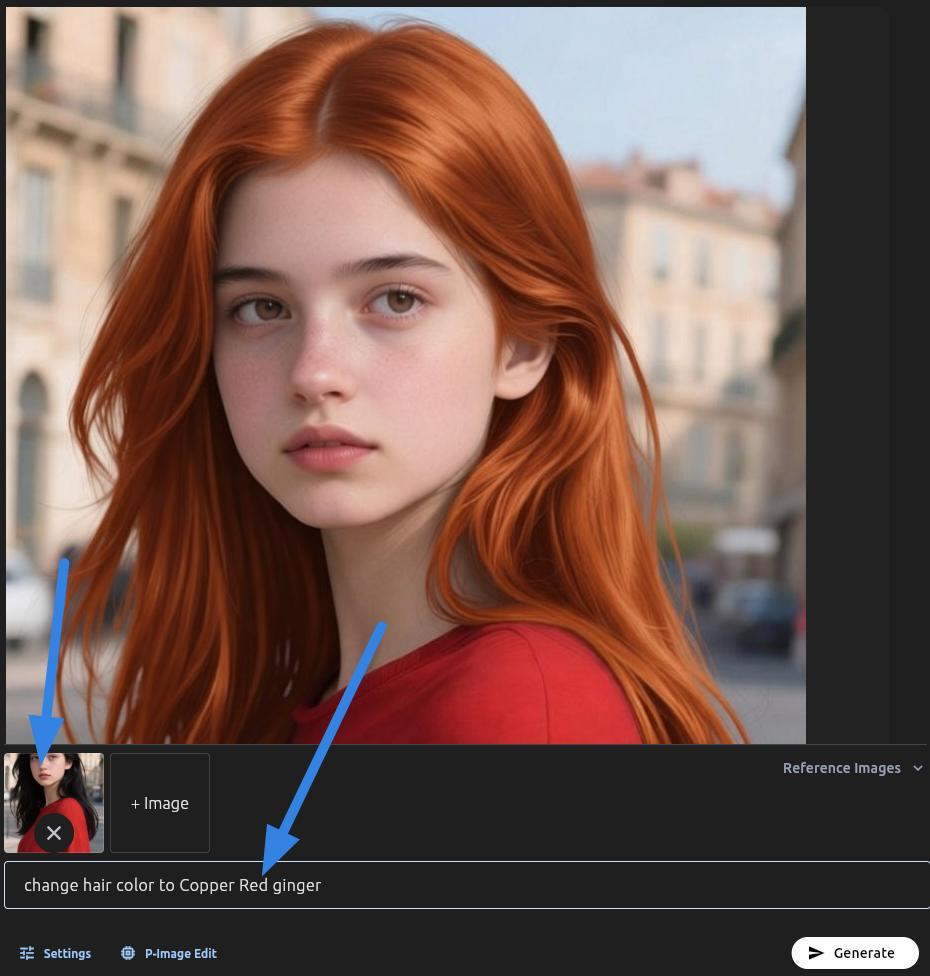
This method lets you describe the hair color changes you want using everyday language.
- Upload Your Image: First, upload the photo you want to change to the Reference Images panel.
- Type Your Prompt: Clearly describe the new hair color, including details like shade, highlights, and even style. The AI will understand what you want and create the updated image.
Here are some prompt ideas:
Change hair color to [color].
Give her ash blonde hair with subtle highlights.
Replace the hair color with a deep blue ombre.
Tips for Using Prompts:
Include details about color, shade, and any effects like ombre or highlights. The more specific you are, the better the AI can understand what you want.
Write simple, direct descriptions. Avoid complex sentences or ambiguous terms.
If there are more than 1 person, specify who you're changing if the image has multiple people (e.g., "Change the woman on the left's hair to platinum blonde").
You can mention keeping certain items unchanged (e.g., "Keep the hairstyle, but change the color to a rich chocolate brown").
If the first result isn't perfect, try rephrasing your prompt or adjusting your description.
Hair Color Prompts
Here are some prompts for changing your hair color, for inspiration.
1. Natural Hair Colors
These are the colors hair is born with, determined by genetics and the amount and type of melanin produced by the hair follicles.
Black Hair Color
The darkest and most common hair color globally, especially prevalent in Asian and African populations. It's rich in eumelanin. Black hair can range from a deep, inky black to a softer, almost charcoal shade, often appearing very shiny. It can have cool undertones (blue-black) or warm undertones (dark brown-black).
Example Prompt for changing hair color Black Hair:
- Change hair color to dark brown black.
- Give her black hair with charcoal shade.
- Change hair color to jet black.
Visual Reference of black hair color:
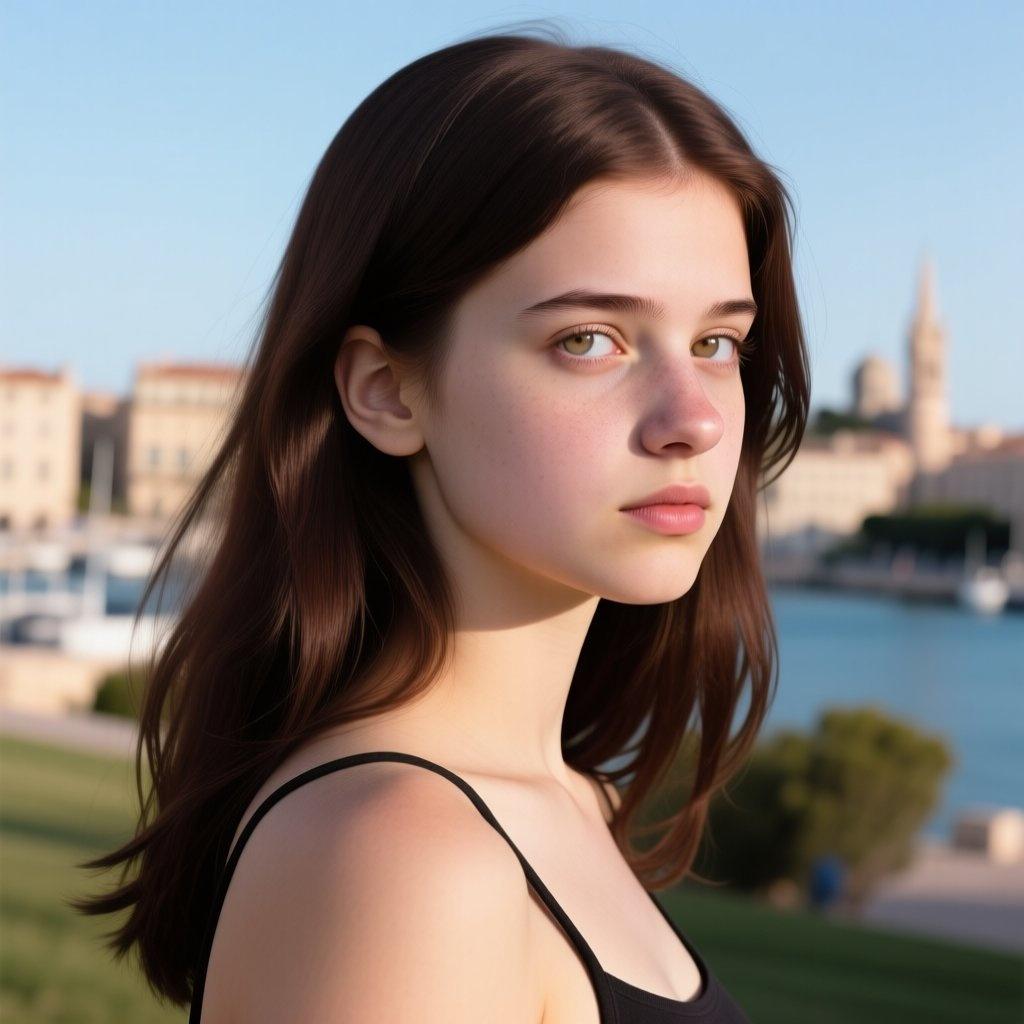
dark brown black
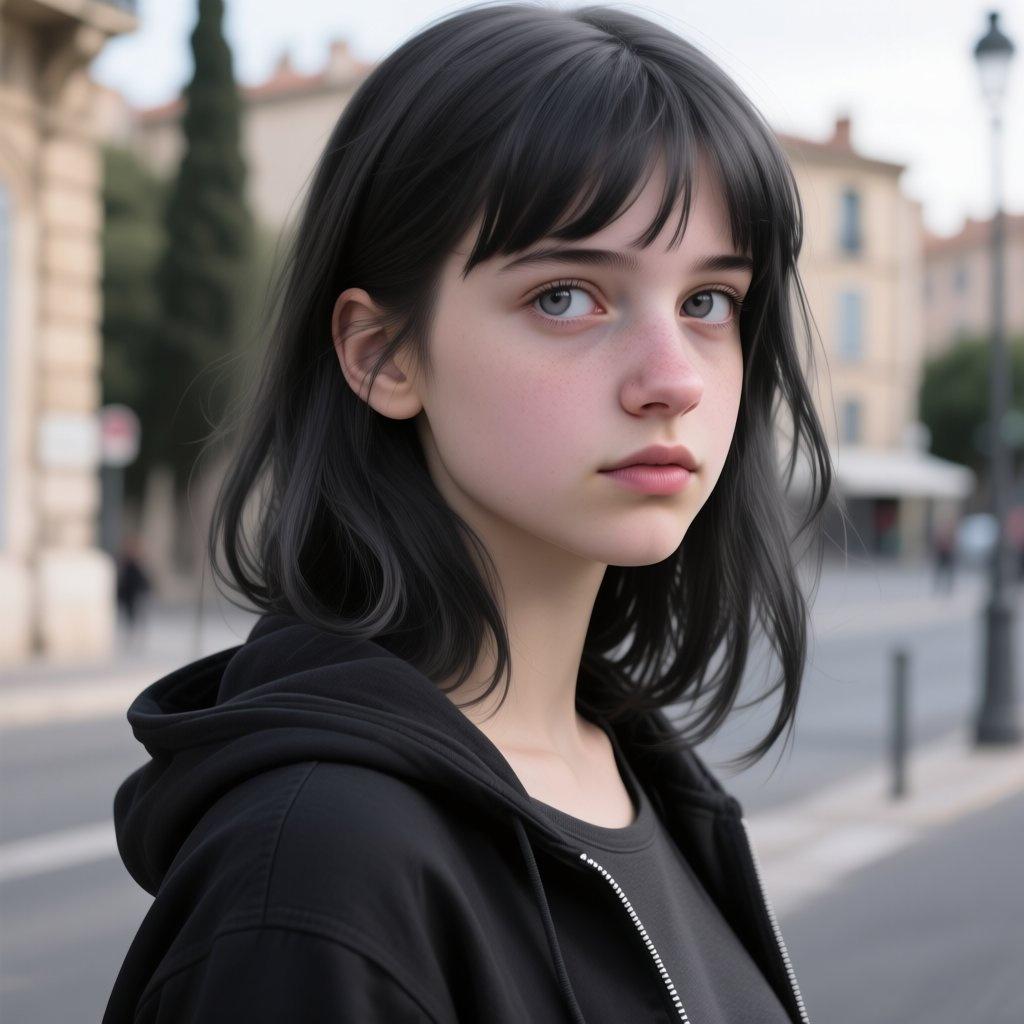
charcoal shade
Brown Hair Color
A very diverse category, ranging from light ash brown to very dark, almost black brown. Brown hair contains a mix of eumelanin and pheomelanin. It's the second most common hair color worldwide.
Example Prompt for changing hair color to Brown:
- Change hair color to Light Brown
- Change hair color to Ash Brown
- Change hair color to Golden Brown
- Change hair color to Chocolate Brown
Visual Reference of brown hair color:
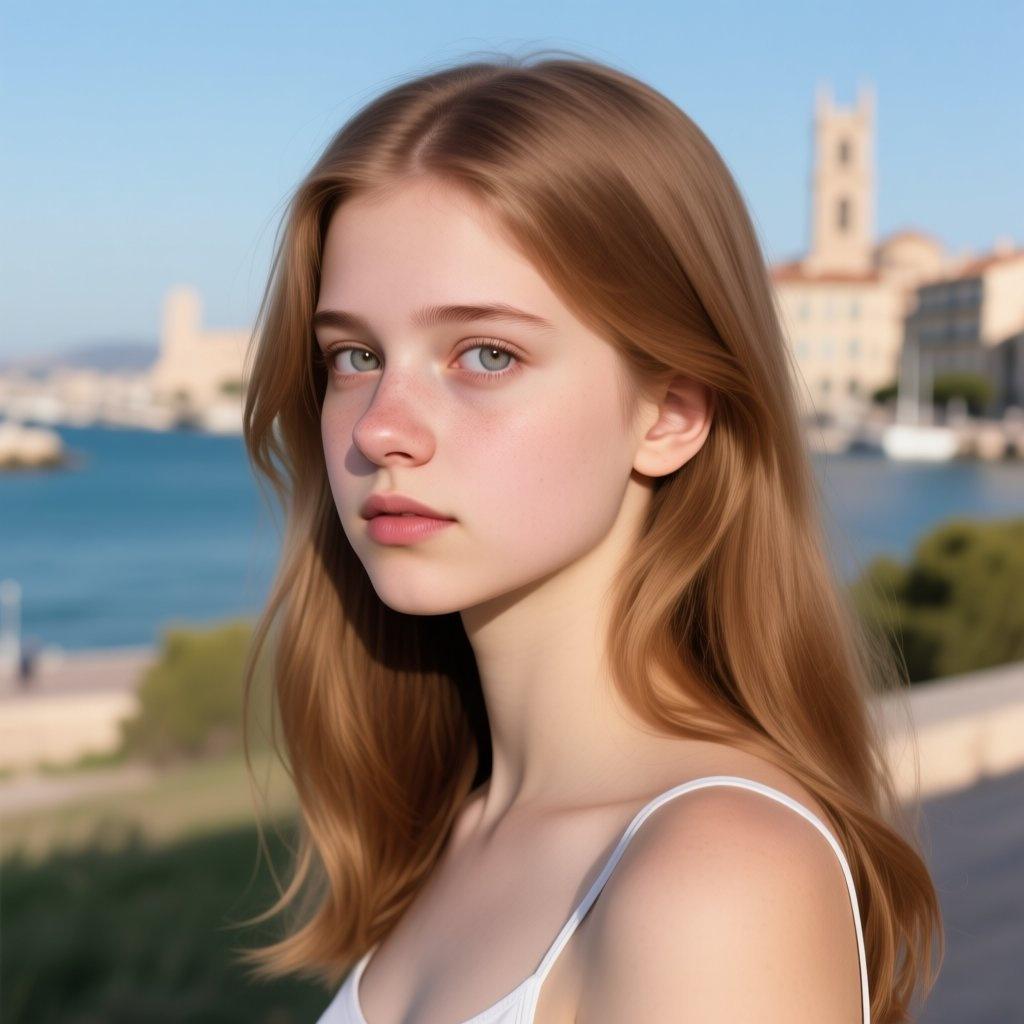
light brown
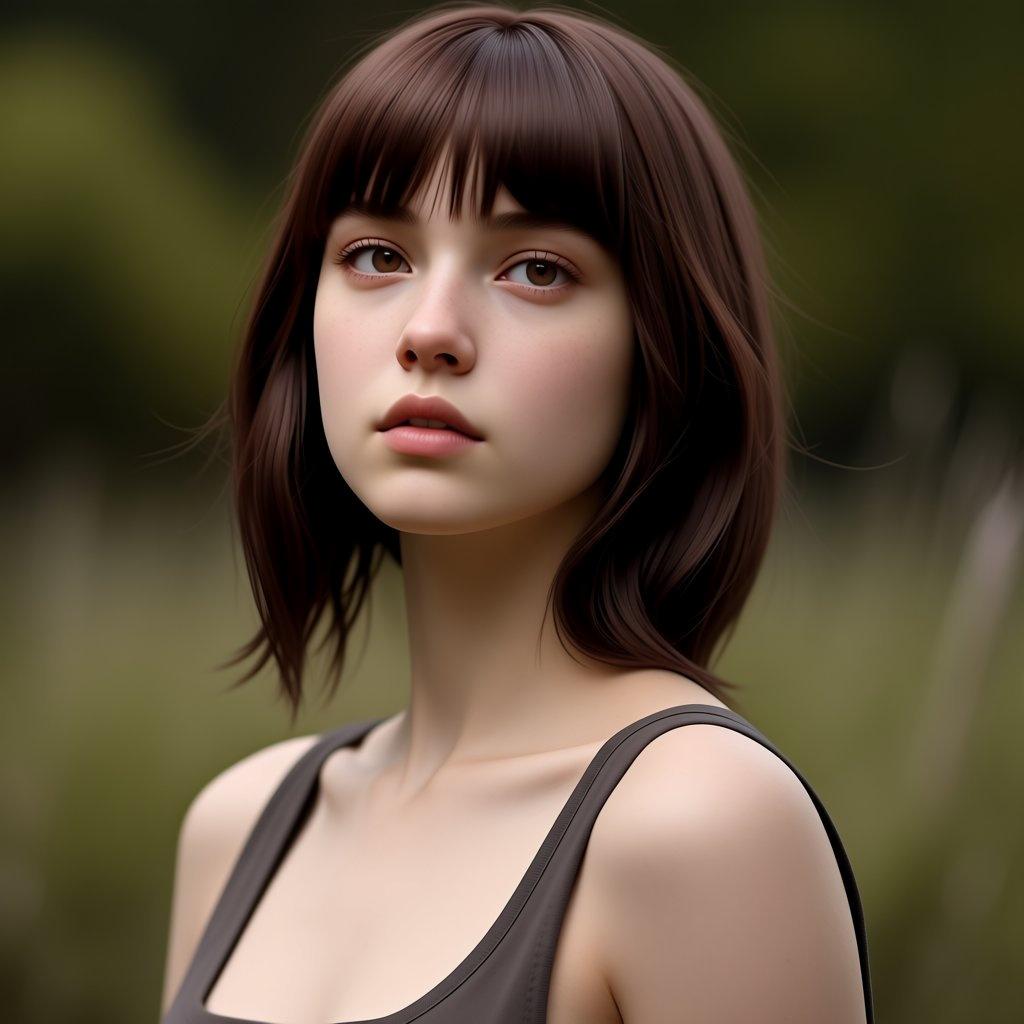
chocolate-brown
Blonde Hair Color
Characterized by low levels of eumelanin, resulting in light, often yellow or golden hues. Blonde hair is most common in people of Northern European descent. The spectrum is vast, from nearly white to dark blonde.
Example Prompt for changing hair color to Blonde:
- Change hair color to Platinum Blonde
- Change hair color to Ash Blonde
- Change hair color to Honey Blonde
- Change hair color to Golden Blonde
Visual Reference of blonde hair color:
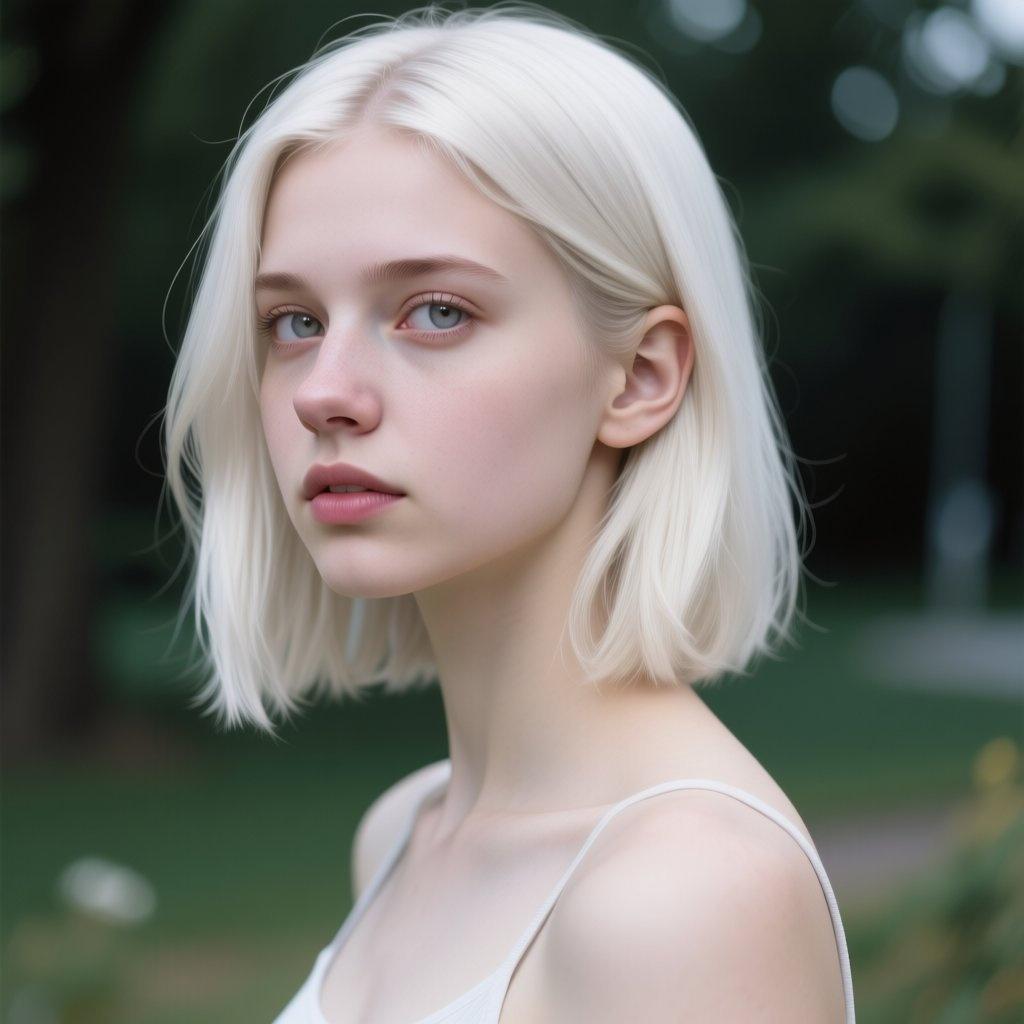
platinum blonde
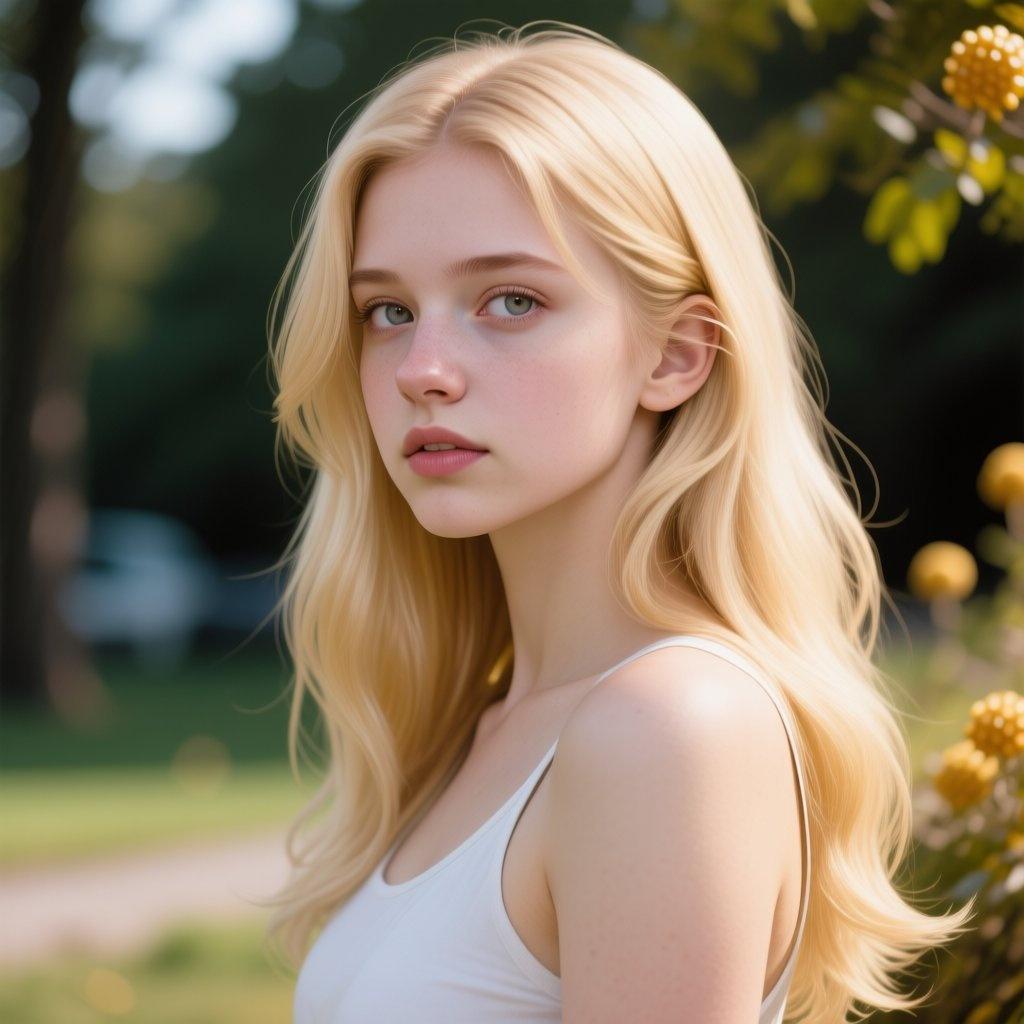
honey-blonde
Red (Ginger/Auburn) Hair Color
The rarest natural hair color, high in pheomelanin and low in eumelanin. Red hair is often associated with fair skin and freckles. It has vibrant orange, copper, or reddish-brown tones.
Example Prompt for changing hair color to Red:
- Change hair color to Bright Red (Ginger)
- Change hair color to Copper Red
- Change hair color to Auburn
- Change hair color to Burgundy Red
Visual Reference of red hair color:
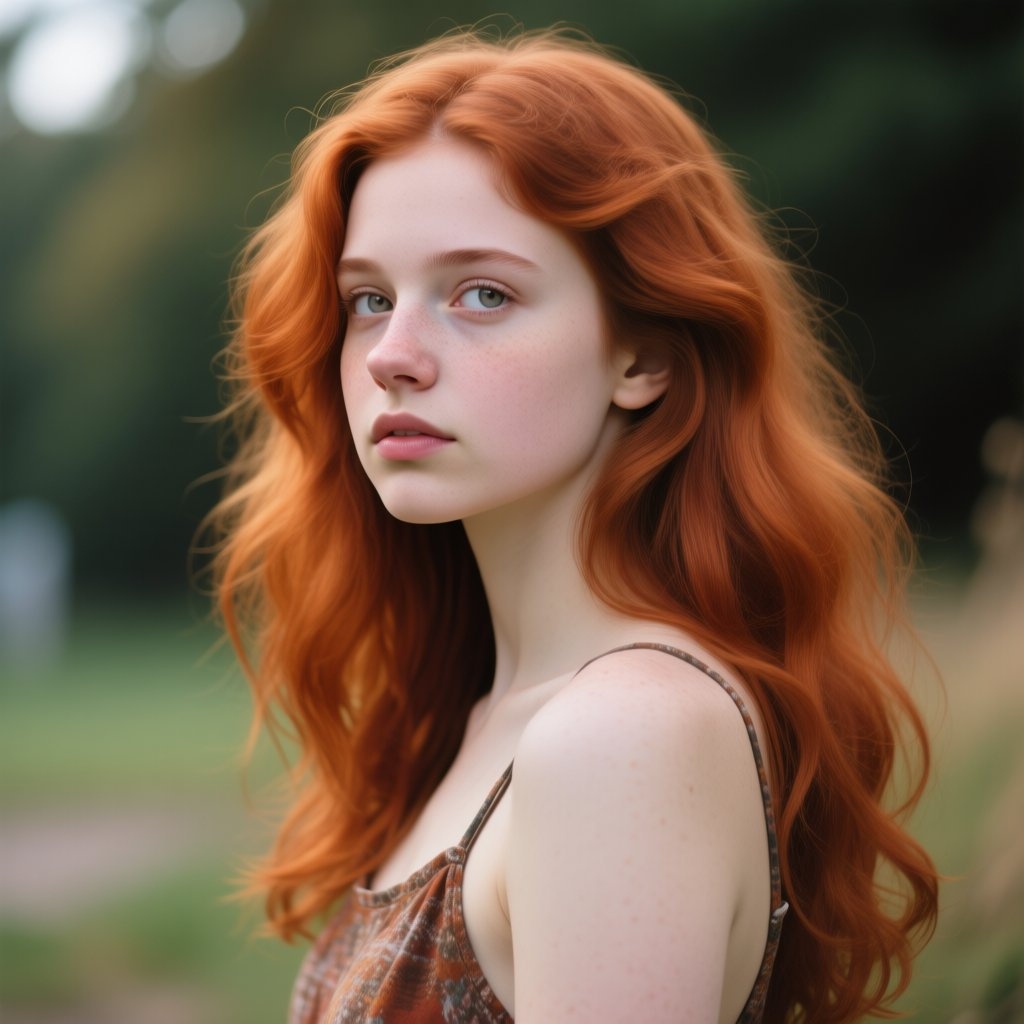
auburn
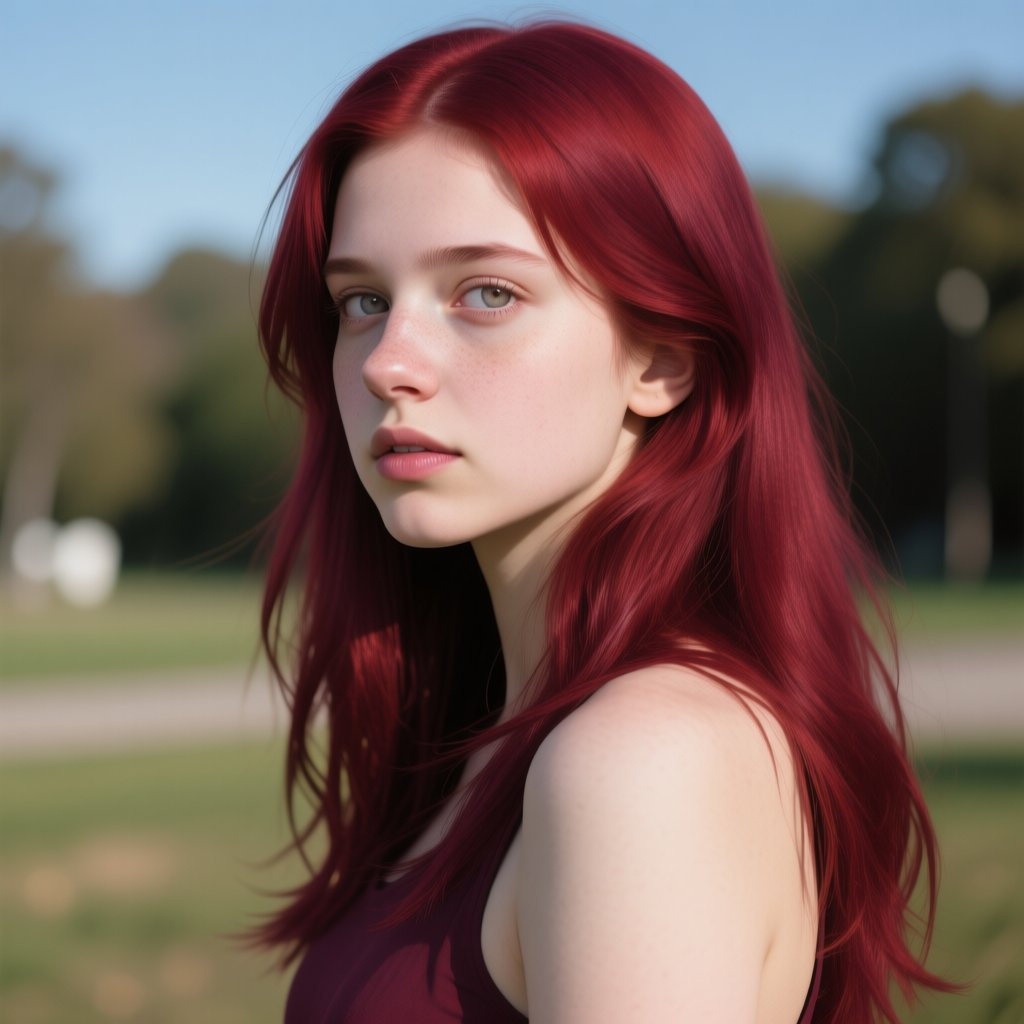
burgundy-red
Gray/White Hair Color
Not a pigment itself, but the result of the hair follicles producing less or no melanin over time. Hair strands lose their pigment and appear colorless, while the remaining pigmented strands create the illusion of gray or white. It can be salt-and-pepper (a mix of pigmented and unpigmented strands), silver (a more uniform gray), or pure white.
Example Prompt for changing hair color to Gray/White:
- Change hair color to salt and pepper.
- Give her silver hair.
- Change her hair color to white.
2. Dye Hair Colors
These are colors applied to the hair using chemical or natural colorants to change its natural shade or add new hues. They can be temporary, semi-permanent, demi-permanent, or permanent.
Fashion/Vivid Colors
Bright, unconventional colors not found naturally in human hair. These often require pre-lightening (bleaching) for the color to show vibrantly. They are typically semi-permanent or direct dyes.
Example Prompt for changing hair color to Fashion/Vivid Colors:
- Change hair color to Electric Blue.
- Give her Hot Pink hair.
- Change hair color to Emerald Green.
- Change hair color to Bright Purple.
- Change hair color to Neon Yellow.
- Change hair color to Fiery Orange.
Metallic Tones
Dyes that impart a shimmering, almost reflective quality to the hair, reminiscent of metals. They can be subtle or very pronounced.
Example Prompt for changing hair color to Metallic Tones:
- Change hair color to Silver.
- Change hair color to Rose Gold.
- Change hair color to Bronzed Brown.
Ombré/Balayage/Highlights/Lowlights Hair
These are techniques that involve applying dye to create multi-tonal effects. Ombré is a gradual transition from darker roots to lighter ends. Balayage refers to hand-painted highlights for a soft, natural, sun-kissed effect. Highlights are lighter strands woven through the hair to add dimension. Lowlights are darker strands woven through the hair to add depth and richness. These techniques can use natural-looking shades or incorporate fashion colors.
Example Prompt for changing hair color to Ombré/Balayage/Highlights/Lowlights
- Give her ombré hair with dark roots and blonde ends.
- Change her hair to balayage with natural sun-kissed highlights.
- Add highlights to her hair.
- Change her hair to lowlights for added depth.
3. Pastel Hair Colors
Pastel colors are soft, muted, and whimsical, achieved by diluting vibrant dyes. They require pre-lightening hair to a very pale blonde (level 9 or 10) for true-to-tone results.
Example Prompt for changing hair color to Pastel
- Change hair color to pastel pink.
- Give her lavender hair.
- Change hair color to mint green.
- Change her hair color to baby blue.
- Give her peach pastel hair.
- Change hair color to silver pastel.
- Give her pastel yellow hair.
Key Features of AiSudo's AI Photo Hair Color Changer
AiSudo's AI Photo Hair Color Changer helps you easily change hair colors in photos. Here’s what it offers:
- Effortless Hair Color Changes: You can change hair colors with a few clicks or by typing a description, making it a powerful hair color changer AI.
- Text-Based Customization: Describe the hair color you want (e.g., "a vibrant magenta," "a natural ginger," or "platinum blonde with dark roots"), and the AI will create it. This acts as a virtual hair try-on.
- Realistic Results: The new hair colors look natural in the photo, matching textures, lighting, and strands. It’s like using a professional hair color changer filter.
- Simple to Use: Upload your image, type your request, and the AI does the work. No editing experience needed, making it an intuitive hair color changer app.
- Fast and Efficient: Get good results quickly, allowing you to edit many images and try on various hair colors virtually.
Frequently Asked Questions
What is an AI Photo Hair Color Changer?
It's an online tool that uses artificial intelligence to easily change the hair color of subjects in your photos. You can alter styles, colors, and even add highlights with just a few clicks, without needing advanced editing skills. This is your go-to photo hair color changer.
Can I customize my hair color and styles?
Absolutely! With our free AI hair color changer, you can design your own hair look. Just describe your dream color with simple words, and then you can see how it looks on you. Therefore, you can use it to alter styles and explore color variations to fit your taste. It's a fantastic hair try on virtual experience.
Why would I want to change my hair color in a photo?
You might want to change your hair color in a photo for various reasons:
- Virtual Try-On: See how different hair colors look on you before committing to a dye job.
- Creative Expression: Experiment with bold or fantasy hair colors for fun or artistic projects.
- Pre-Dye Visualization: Get a realistic preview of a new hair color without any commitment.
- Social Media: Create engaging and unique profile pictures or content.
- Personal Styling: Explore different aesthetics and find a look that suits you best.
Can AI truly change hair color accurately?
Yes, modern AI hair color changers are highly accurate. They use advanced algorithms to detect hair strands, apply new colors realistically, and match lighting conditions. This ensures the changed hair color blends seamlessly with the rest of the image, providing a virtual hair try on experience that is very close to real life.
How accurate are hair color changers like AiSudo's?
AiSudo's hair color changer is designed for high accuracy. It leverages sophisticated AI to detect hair precisely, apply desired colors, and maintain natural textures and lighting. While results can vary slightly based on the original image quality and prompt detail, it generally provides very realistic and convincing transformations, making it a reliable hair color changer filter.
Start transforming your hair with AiSudo's AI Photo Hair Color Changer today. It's easy, fast, and free to try!