Transform Your Photos into Anime Art
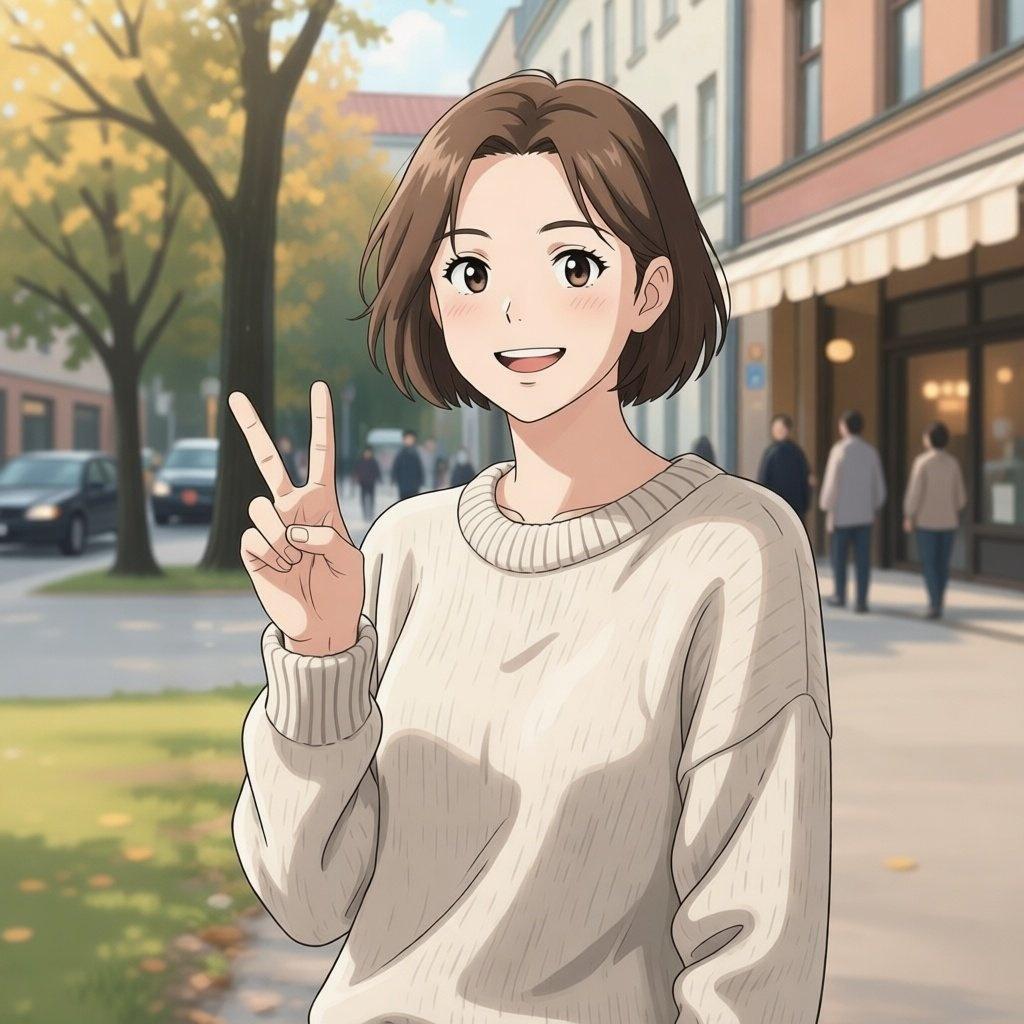
Have you ever wondered what your favorite photos would look like if they were drawn in the style of anime? What if you could see yourself, your friends, or even your pets as characters right out of a studio ghibli, naruto or one piece? Traditionally, achieving this required the skills of a professional artist, a careful hand, and a deep understanding of anime aesthetics, a process often costly and time-consuming. However, with the advancements in artificial intelligence, this artistic transformation is now accessible to everyone.
AiSudo's AI Convert Photo to Anime tool brings this imaginative possibility to life. It allows you to easily transform any photograph into an anime masterpiece, giving your images a fresh, artistic look without the need for drawing skills or complex software.
How to Convert Your Photos to Anime with AI
To begin turning your photos into anime art, simply click the button above to open the AiSudo App 👆️
Then, follow these steps:
Upload Your Photo: First, upload the picture you wish to convert into the Reference Images panel.
- Click "+ Image button"
- Choose the photo you'd like to transform into an anime.
Set up the parameters:
- Head over to the "Basic Settings Panel." (If you don't see it, just click the settings button.)
- Decide on the width and height you'd like for your result.
- Adjust the "inference steps." A higher number here means a better result, but it will use up more credits.
Converting Photos Using a Prompt
This method allows you to guide the AI with text descriptions, transforming your image into various anime styles.
Go to the prompt panel. There might be a default prompt there, but feel free to rewrite it to try new things. Just type in what you want: clearly tell the AI to make your image into an anime style. You can even get specific about the kind of anime look you're going for!
Here are some prompt ideas:
convert to anime style
a girl in anime style, fantasy, detailed, art by makoto shinkai
turn image into a boy in anime style, studio ghibli style, detailed, soft colors
Prompt blueprint for anime conversion
[anime style] [additional details about style or character]
Tips for Using Prompts:
Be Specific with Style: If you have a particular anime artist or studio in mind (e.g., "Studio Ghibli style," "art by Makoto Shinkai," "shonen anime style"), include it in your prompt for more tailored results.
Describe Characteristics: You can add descriptive elements for the character or scene, such as "with big eyes," "wearing a school uniform," "futuristic city background," or "soft pastel colors."
Experiment with Keywords: Try different combinations of words to see how they influence the anime output. Words like "detailed," "realistic anime," "fantasy," or "chibi" can dramatically change the result.
Focus on the Subject: If your photo has a clear subject (e.g., a person, a pet), the AI will generally focus on converting that into an anime character.
Consider the Original Image: The quality and composition of your original photo will influence the final anime conversion. Clear, well-lit images often yield the best results.
Iterate and Refine: If the first result isn't exactly what you envisioned, adjust your prompt. Add more details or change the stylistic descriptors. Remember, you have daily free credits to experiment!
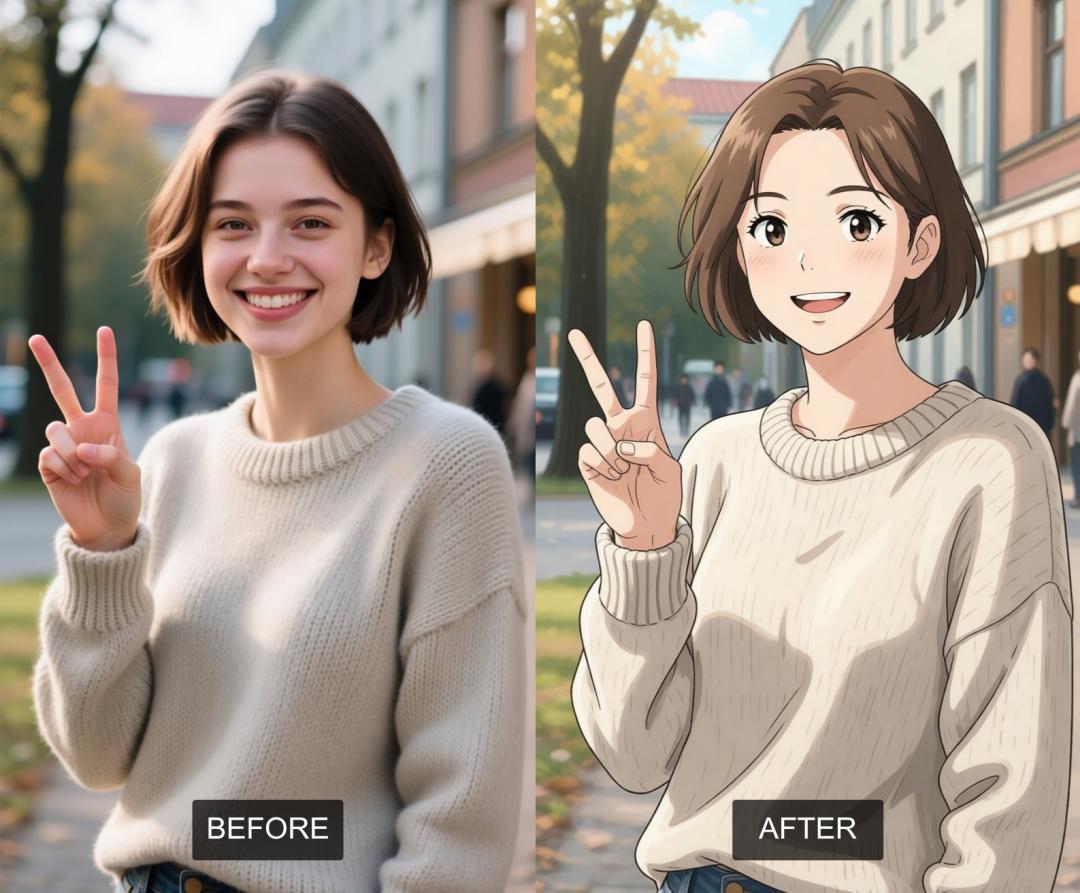
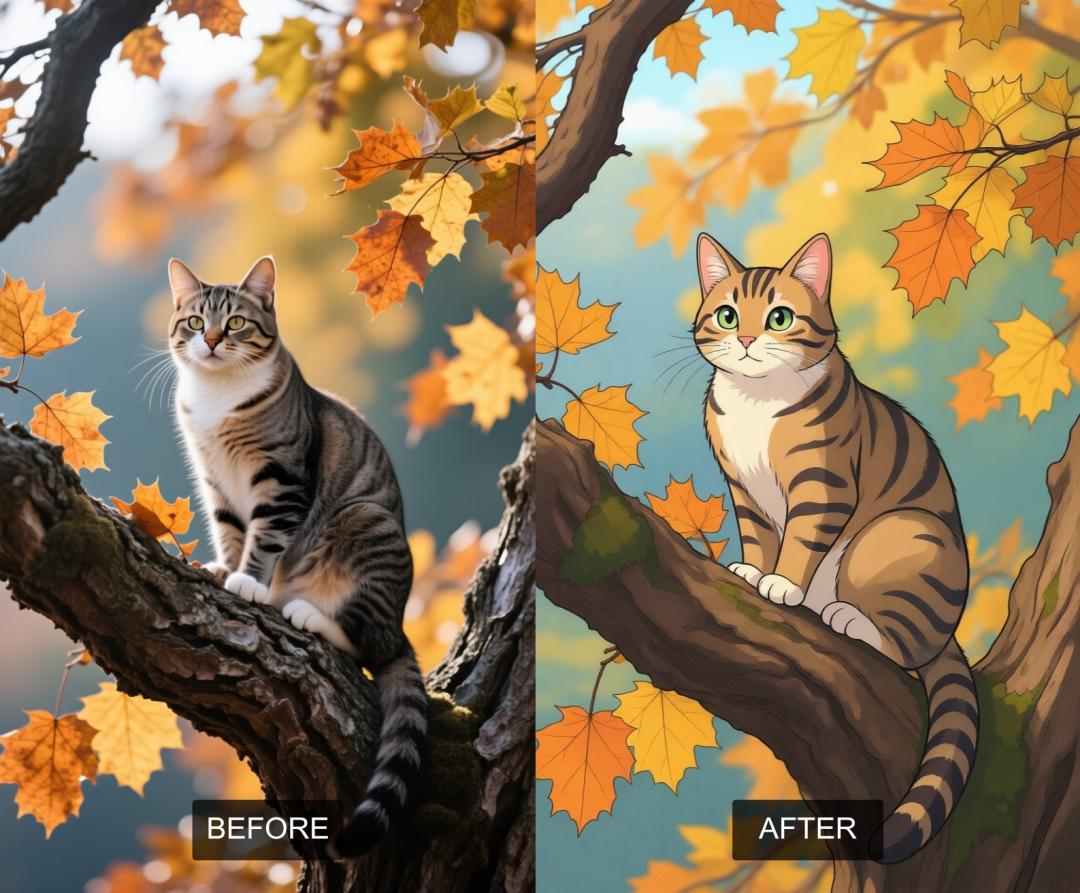
Here are some examples of images before and after they've been converted into anime:
Key Features of AiSudo's AI Convert Photo to Anime Tool
AiSudo's AI Convert Photo to Anime tool makes it simple to turn your ordinary photos into extraordinary anime art. Here’s what makes it stand out:
- Diverse Anime Styles: Transform your photos into various anime aesthetics, from classic hand-drawn looks to modern digital animations, simply by adjusting your prompt.
- High-Quality Transformations: The AI ensures that the converted anime images retain crisp details, vibrant colors, and expressive character, capturing the essence of the original photo while applying the anime style.
- Prompt-Driven Customization: Control the artistic direction with simple text descriptions. Specify styles, moods, and specific visual elements to guide the AI’s creation.
- Easily Conversion: No complex software or artistic skills required. Just upload your image and type your desired anime style.
- Realistic Anime Character Creation: Turn yourself, your friends, or even your pets into authentic-looking anime characters, complete with expressive features.
- Fast Processing: Get your anime-style images quickly, allowing for efficient artistic experimentation and creation.
- Versatile Applications: Perfect for creating unique avatars, personalized gifts, social media content, or simply exploring creative possibilities.
- Affordable Access: Benefit from 15 free credits daily (approximately 5 edits). Paid plans are available for more extensive use.
Frequently Asked Questions about AiSudo's Convert Photo to Anime App
What is an AI image converter to anime?
An AI image converter to anime is an online tool that uses artificial intelligence to analyze the content of your photograph and redraw it in the distinctive artistic style of Japanese animation, known as anime. It transforms features, colors, and textures to match typical anime aesthetics.
How accurate is the AI in converting photos to anime?
The AI is highly trained on vast datasets of anime art, allowing it to accurately interpret and apply anime characteristics to your photos. While it aims for a high level of fidelity to the anime style, the exact outcome can vary based on the complexity of the original photo and the specifics of your prompt. You can guide it further by being more descriptive in your prompts.
Can I convert full-body photos to anime?
Yes, you can upload and convert full-body photos to anime. The AI will analyze the entire image and transform all elements, including the full figure and background, into the chosen anime style. For the best results, ensure the full body is clearly visible in the original photo.
Can I pick a specific anime style, like Studio Ghibli or Shonen?
Absolutely! This is one of the key features of the tool. In your prompt, you can specify particular anime artists, studios, or genres. For example, you can write "Studio Ghibli style," "art by Makoto Shinkai," "shonen anime style," or "chibi anime." Experiment with different styles to find your favorite!
Can you turn me into an anime character in the style of [specific anime]?
Yes, you can! By uploading your photo and including the name of a specific anime or a well-known style associated with an anime in your prompt, the AI will do its best to transform you into a character resembling that particular aesthetic. For example, "turn me into an anime character in the style of Attack on Titan" or "in the style of Sailor Moon."
Do these converters work on pets? Can I turn my cat into an anime character?
Yes, our AI converter works wonderfully for pets! You can definitely turn your dog, cat, or any other pet into an anime character. Just upload a clear photo of your pet, and use a prompt like "anime style dog," "my cat in Studio Ghibli style," or "a cute anime puppy." The AI will transform your furry friend into an adorable anime version.
What if the result isn't exactly what I wanted?
AI models learn continuously. If the initial result isn't perfect, try refining your prompt. Be more specific about the anime style, colors, or character features you desire. Experiment with different descriptive terms and stylistic keywords. Remember, you have daily free credits to fine-tune your results!
Can I use the output commercially?
Free tiers grant personal use only (e.g., social media avatars). Commercial usage rights for branding or merchandise require a paid premium subscription.
To explore the magical world of anime transformations, try AiSudo's AI Convert Photo to Anime tool today.