Transform Your Photos into Exquisite Watercolor Art!
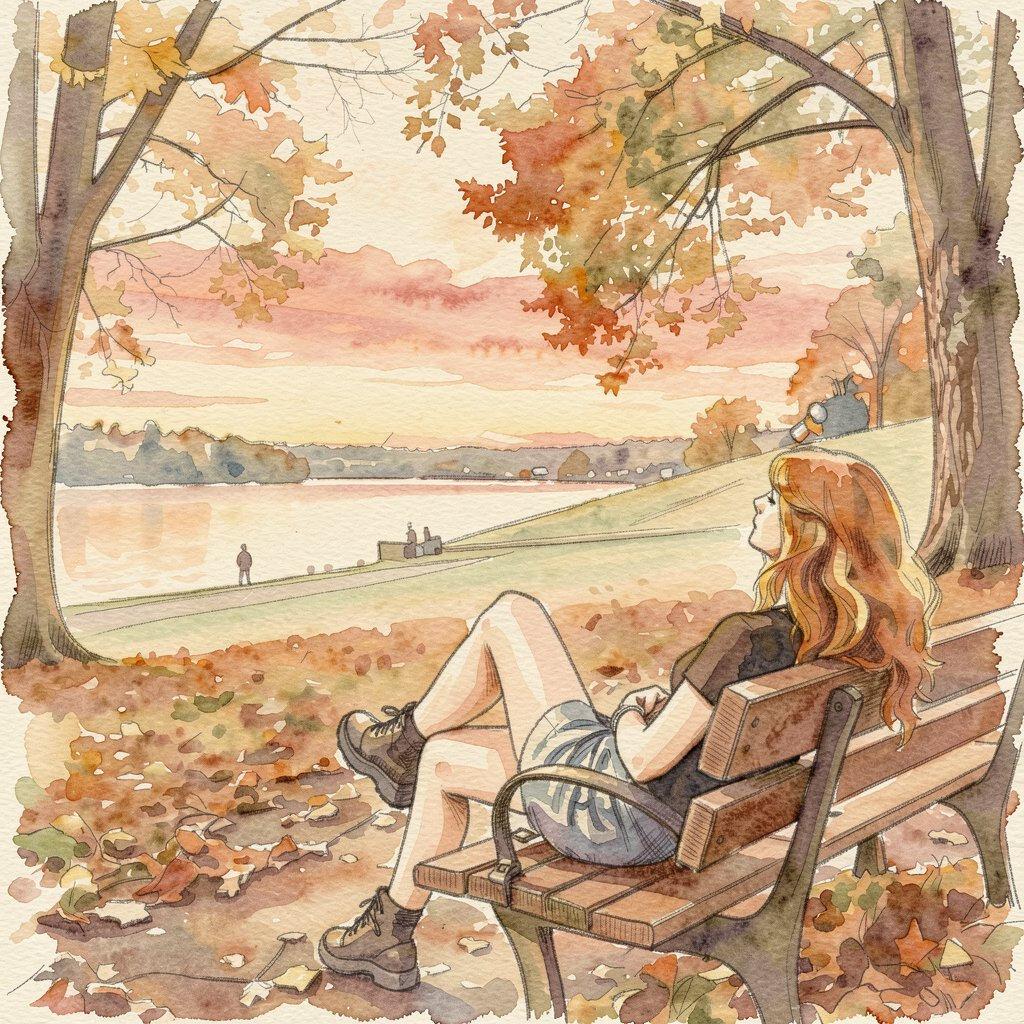
Transforming a photograph into a watercolor painting traditionally requires artistic skill, specialized paints, brushes, and a keen eye for color and light. It's a craft that takes years to master, often involving meticulous layering and blending techniques to achieve that signature translucent and flowing watercolor effect.
AiSudo's AI Watercolor Your Photo tool simplifies this artistic process. It lets you convert your pictures into beautiful watercolor paintings, giving them a fresh, artistic look without needing extensive painting skills or detailed manual editing.
How to Watercolor Your Photos with AI
To begin transforming your photos into watercolors, simply click the button above to open the AiSudo App 👆️
Then, follow these steps:
Upload Your Photo: First, upload the picture you wish to convert into the Reference Images panel.
- Click "+ Image button"
- Choose the photo you'd like to transform into a watercolor.
Set up the parameters:
- Head over to the "Basic Settings Panel." (If you don't see it, just click the settings button.)
- Decide on the width and height you'd like for your result.
- Adjust the "inference steps." A higher number here means a better result, but it will use up more credits.
Note: Some models, like P-Image, can automatically detect the settings above. You can skip these steps if the settings aren't visible.
Turn Photo into Watercolor Using Simple Prompts
This method allows you to guide the AI with text descriptions, transforming your image into various watercolor styles.
After uploading your photo, Go to the prompt panel. There might be a default prompt there, but feel free to rewrite it to try new things. Just type in what you want: clearly tell the AI to make your image into a watercolor style. You can even get specific about the kind of watercolor look you're going for!
Here are some prompt ideas:
turn image into watercolor
turn the photo into a sketchy watercolor painting
create a soft watercolor portrait from this image
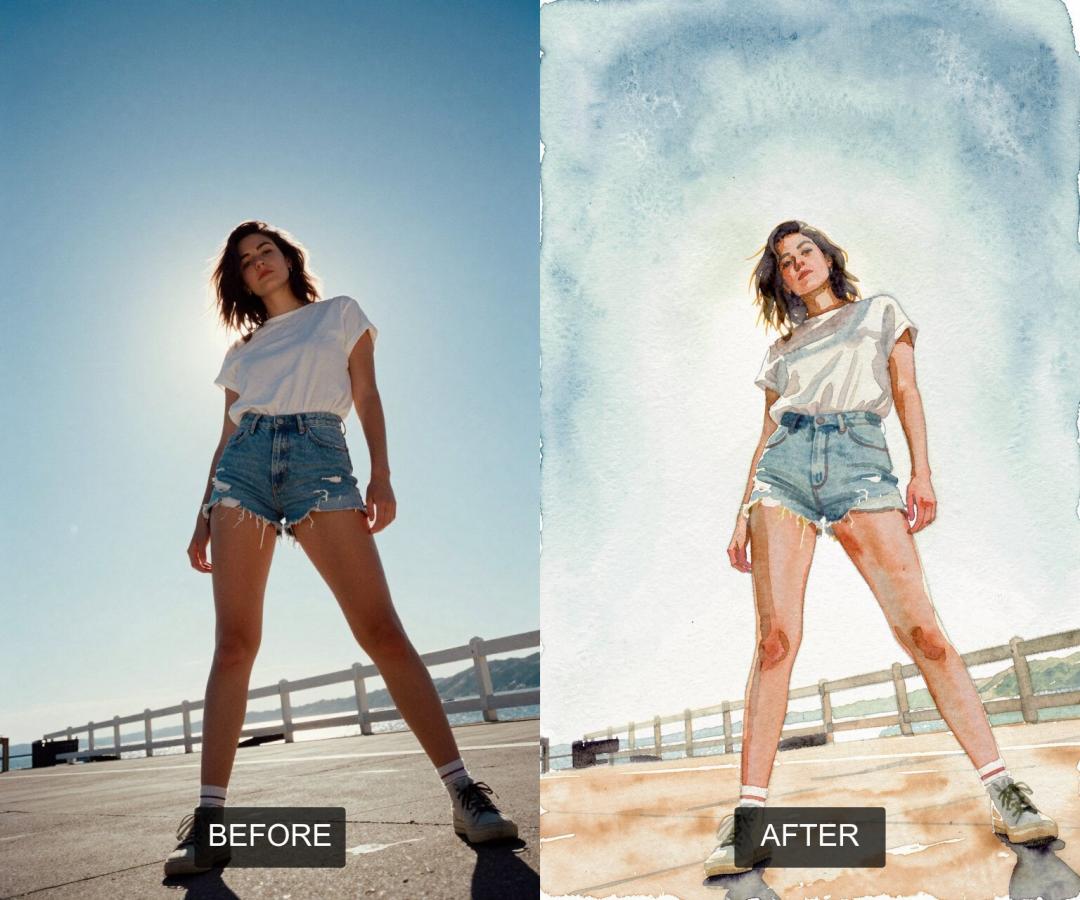
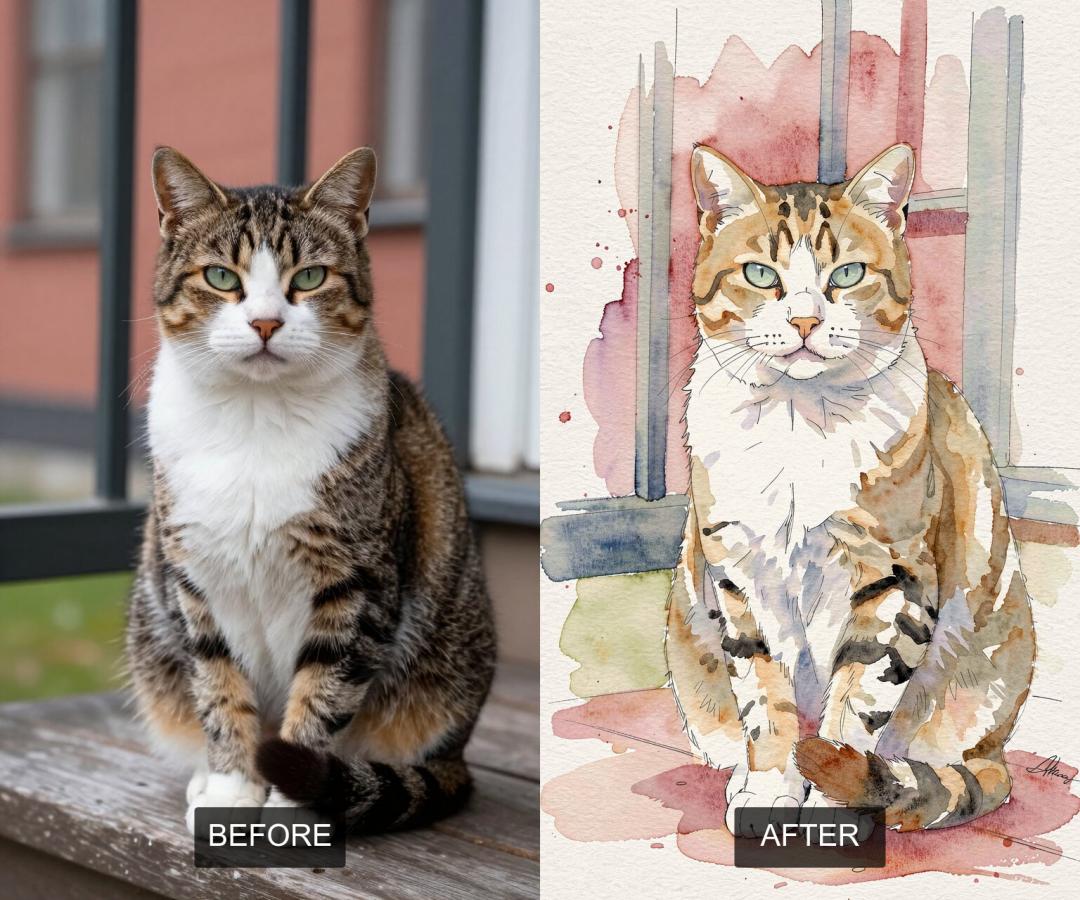
Here are some examples of images before and after they've been converted into watercolor:
Tips for Using Prompts:
- Be Specific: Include details about the type of watercolor effect you want (e.g., "vibrant," "pastel," "realistic," "abstract," "sketchy").
- Describe Colors: Mention preferred color palettes if you have them (e.g., "cool tones watercolor," "warm, earthy watercolor").
- Focus on the Subject: If your photo has a main subject, mention it in the prompt (e.g., "watercolor landscape with flowing rivers," "watercolor portrait of the woman").
- Experiment: If the first result isn't perfect, try rephrasing your prompt or adjusting your description. Little changes can make a big difference!
Key Features of AiSudo's AI Watercolor Your Photo Tool
AiSudo's helps you easily transform your pictures into beautiful watercolor artworks. Here’s what it offers:
- Artistic Transformation: Convert photos into exquisite watercolor paintings with authentic brushstrokes and color blending.
- Prompt-Driven Artistry: Guide the AI with simple text descriptions to achieve diverse watercolor styles, from subtle washes to bold, vibrant compositions.
- Realistic Water Effects: The AI captures the translucent quality and fluid nature characteristic of traditional watercolors.
- User-Friendly Interface: Easy to use for everyone, regardless of their artistic or editing skills. Just upload, describe, and generate.
- Fast Processing: Get high-quality artistic results quickly, transforming your photo into art in seconds.
- Affordable Access: Benefit from 15 free credits daily (approximately 5 edits). Paid plans are available for more extensive use.
Frequently Asked Questions about Watercolor Your Photo App
How to convert a photo to a watercolor-like image?
The conversion process is straightforward. Upload your image, and then enter a descriptive prompt like "turn this photo into a soft watercolor painting" or "create a vibrant watercolor portrait." The AI will interpret your instructions and generate a watercolor version of your photo.
Can I pick a specific watercolor style?
Yes, absolutely! You can guide the AI to create various watercolor styles using your prompts. For example, you can specify "sketchy watercolor," "realistic watercolor," "abstract watercolor," "pastel watercolor," or "ink wash style." The more descriptive your prompt, the closer the AI will get to your desired artistic vision.
Can I convert full-body photos?
Yes, the tool works effectively with full-body photos. The AI will apply the watercolor effect to the entire image, capturing the details of the figure and the background in the chosen artistic style.
Do these converters work on pets?
Yes, our Watercolor Your Photo tool works wonderfully for pet portraits! You can upload photos of your dogs, cats, birds, or any other beloved animal. Just prompt the AI to create a "watercolor pet portrait" or "watercolor painting of my dog," and it will transform your furry friend's photo into a charming piece of art.
Can I use the output commercially?
Free tiers grant personal use only (e.g., social media avatars). Commercial usage rights for branding or merchandise require a paid premium subscription.
Transform your ordinary photos into extraordinary watercolor masterpieces with AiSudo's AI Watercolor Your Photo tool. Give it a try and unleash your inner artist!