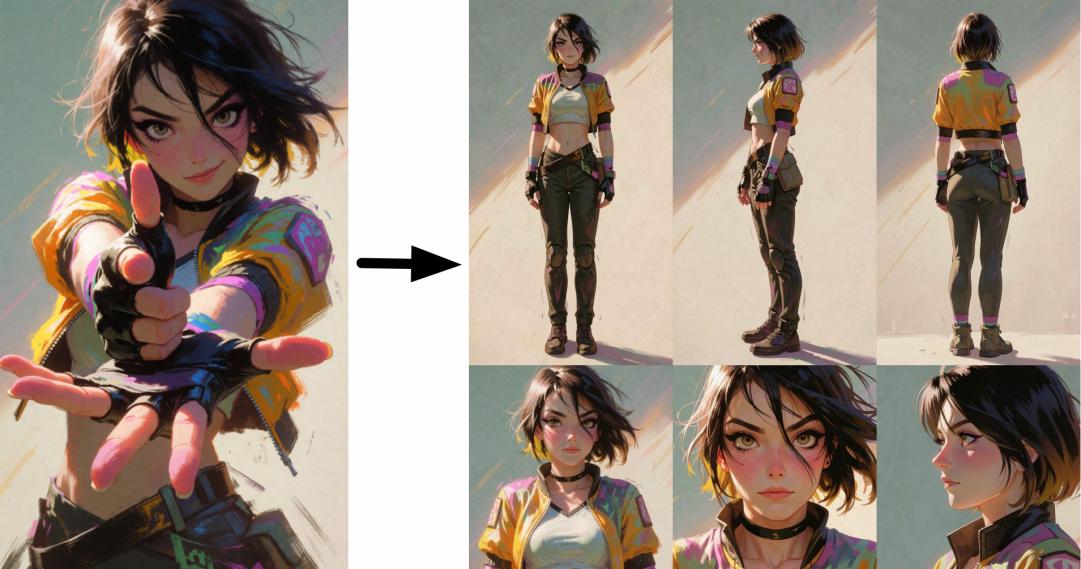
What Is a Character Reference Sheet, and Why Do You Need One?
When you generate a character using AI, something frustrating tends to happen. You get a great result the first time, the face looks perfect, the outfit is exactly right, the hair color is just what you wanted. Then you generate again, and suddenly the character looks like a completely different person. The eyes changed. The clothes shifted. The hairstyle is different. This is one of the most common problems in AI image and video generation, and it happens because the AI has no memory of what your character looked like before.
A character reference sheet solves this. It is a single image that shows your character from multiple angles and poses: front, side, back, and close-up face shots, all laid out on one canvas. When you feed this sheet into an AI model as a reference image, the model uses it to understand exactly what your character looks like. The face stays the same. The body proportions stay consistent. The clothes do not randomly change. You get the same character, every single time, no matter what scene or background you put them in.
How to Create a Character Reference Sheet with AI
To get started, click the button above to open the AiSudo App 👆️
Then follow these steps:
1. Upload Your Reference Character Image
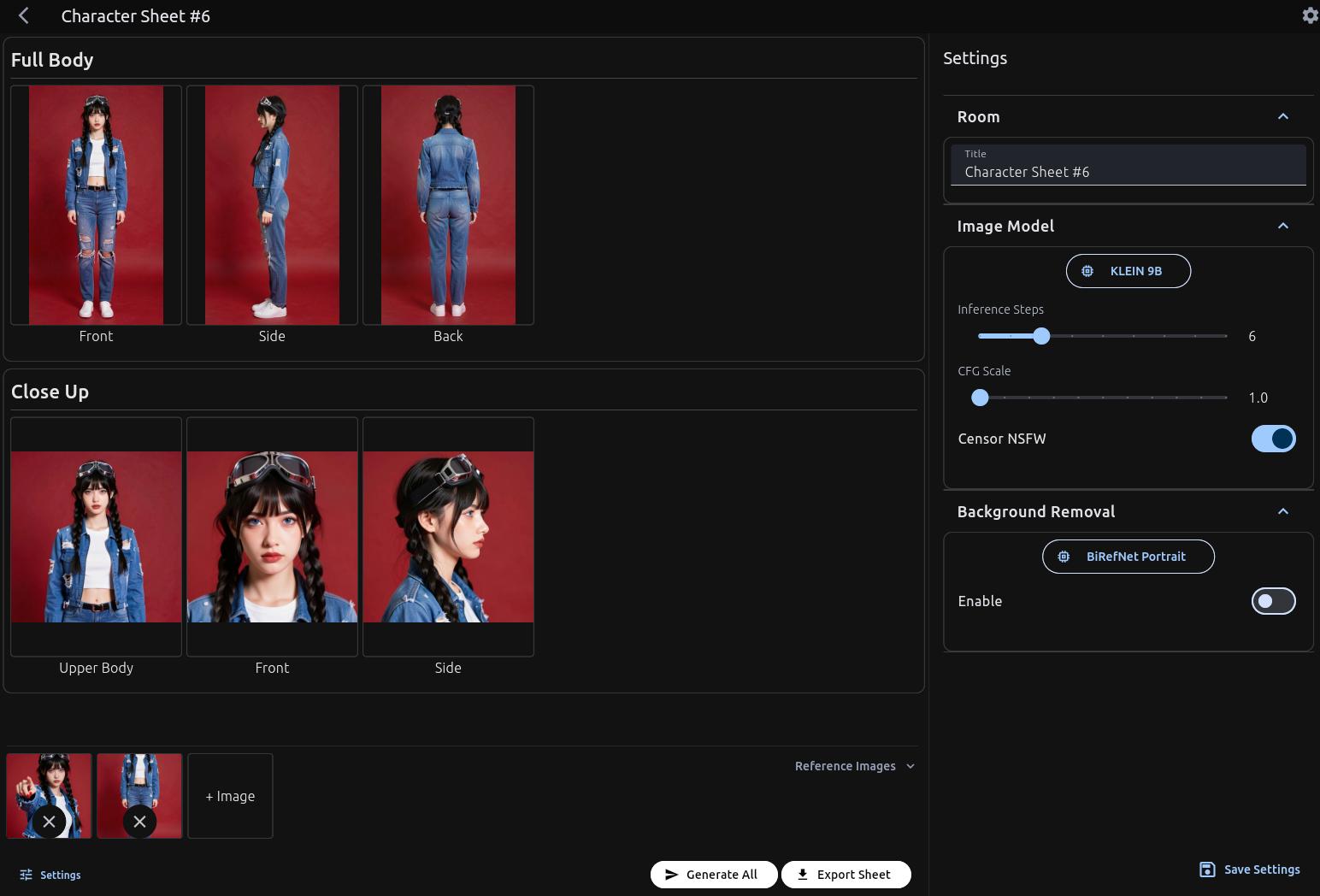
- Click the "+ Image" button in the Reference Images panel.
- Upload a clear photo or illustration of your character. This is the image the AI will use to understand your character's face, body shape, outfit, hair, and overall appearance.
- For best results, use an image where your character is clearly visible, well-lit, and not obscured by other people or objects.
Note: The clearer and more detailed your reference image, the more accurate and consistent the generated poses will be.
2. Generate the Poses
Once your image is uploaded, you have two options:
Click "Generate All" — This automatically generates the full set of poses at once. The AI will produce front view, side view, back view, and close-up face shots in one go.
Click Individual Poses — If you prefer more precise control, you can click each pose and generate one at a time. This lets you review each angle before moving on to the next, and re-generate any pose you are not satisfied with before finalizing the sheet.
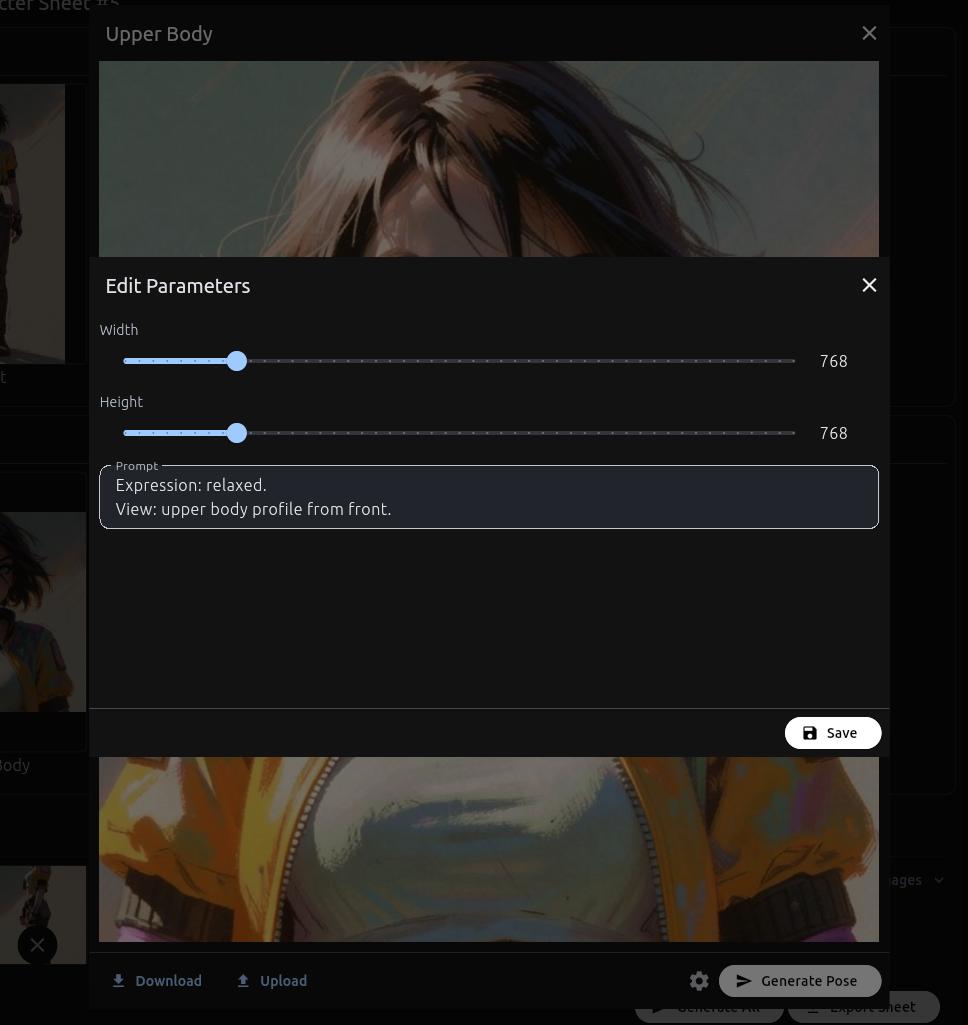
3. Check and Edit Individual Poses
If any generated pose doesn't look quite right, you don't need to start over. Just select that specific pose and edit it manually using a text prompt. You can also download the result, edit it manually with external software, then upload it back.
4. Export Your Character Sheet
Once you are happy with all the poses, export the completed character sheet at full resolution.
The result is a single, square canvas image with all poses arranged cleanly, ready to be uploaded as a reference image on any AI platform.
Important Note:
Before exporting, make sure all poses are wearing the same clothes. If one pose has shorts and another has long pants, the generated result's legs might look like body horror.
Few Tips When Creating Character Reference Sheet
1. No Text
Avoid adding any text to your reference sheet. Text elements will distract the AI model and interfere with how it reads and interprets your character's visual details. Keep it purely visual for the best results.
2. Use Full Body and Close Up
Include both a full body shot and a close up of the face in your reference sheet. You can either combine them in a single sheet or keep them as separate images, then use both together when generating your character. This helps the AI capture both the overall look and the fine facial details accurately.
3. Original Background vs Solid Color Background
The type of background you use matters depending on your art style. For photos and digital art, keeping the original background works well. However, for 3D renders and anime style art, using a clean solid color background is recommended. A solid background helps the AI focus on the character without getting confused by environmental elements.
Example result
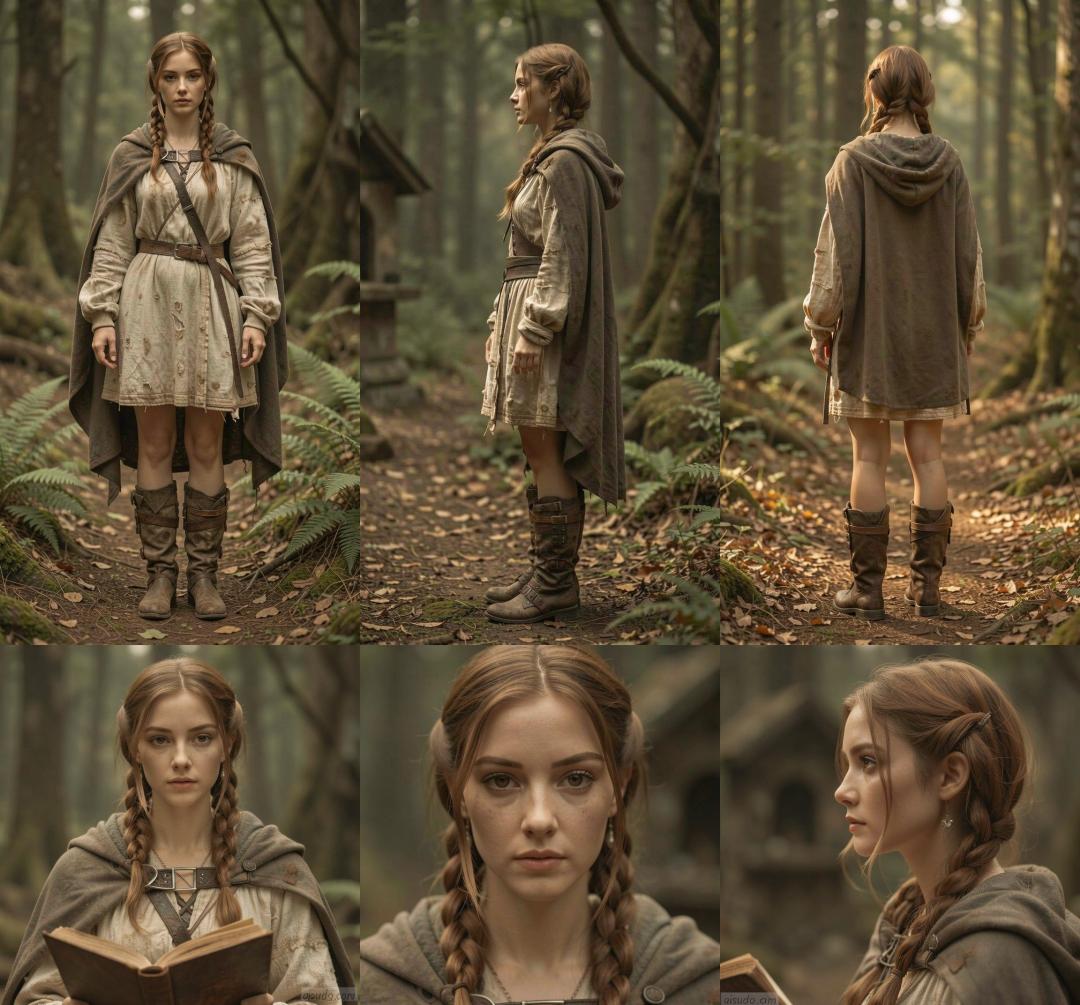 With original background.
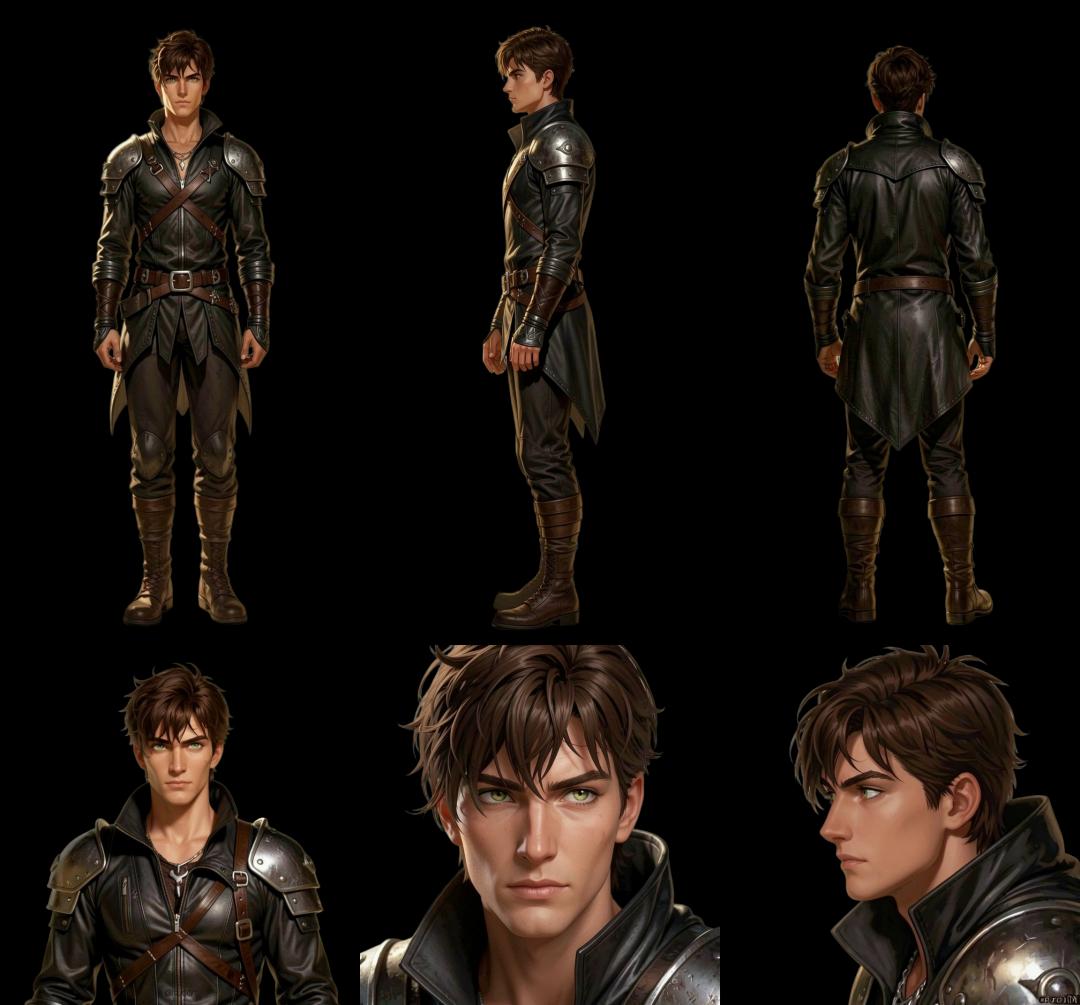 With solid background.
4. Consistent Clothes and Face
Make sure your character is wearing the same outfit across all reference images. Mixing different clothing can cause serious body horror in the generated results. For example, if one image shows your character in short pants while another shows them in trousers, the AI will get confused trying to reconcile both, and the final image may end up with mangled or distorted legs. Keeping everything consistent gives you much cleaner and more accurate outputs.
5. Reuse Already Generated Poses
One common issue is inconsistency between generated outputs. If you notice one of the generated images has an anomaly, such as a different face, clothes, or accessories compared to your original, you can fix it by downloading a good generated pose and inserting it back as a reference image to correct the pose. This method also helps maintain consistency across outputs.
Key Features of AiSudo's AI Character Reference Sheet Generator
Consistent Characters Across Generations
The exported character sheet works as a reference image on most major AI platforms, including: Gemini, Flux, Kling, and others. When you feed it in as a reference, your character's face, body, clothes, and proportions stay locked. You can change the background, switch the art style, add props or items, place the character in entirely different scenes, and the character will still look like themselves.
Multi-Angle Pose Generation
The generated sheet includes a full-body view from the front, side, and back, as well as close-up face shots from multiple angles. This gives AI models a complete picture of your character from every direction, which is what makes the consistency possible. A single front-facing image is often not enough, the multi-angle sheet is what truly locks the character in place.
Individual Pose Editing with Prompts
If any single pose in the generated sheet does not meet your expectations, you can edit it in isolation using a text prompt. You do not need to re-generate the entire sheet. Just select the pose, describe what you want changed, and the AI updates that specific panel while keeping everything else the same.
Automatic Background Removal
This tool has the option to give a transparent background to the generated pose. In some cases, this is important to make the character sheet versatile when changing the background and pose. This keeps the character sheet clean and neutral, which is exactly what AI generation models need to accurately interpret and replicate your character.
Note: Some image styles (like illustrations) may lose their style with a transparent background. Based on our tests, some drawn characters occasionally turn photorealistic when the character sheet background is transparent. Turn off this option if you want to lock in your image style.
Optimized Square Canvas Layout
The character sheet is laid out on almost square canvas, which is specifically designed to work within the input image size limits of most AI platforms. This means your character details are preserved at the largest possible size, giving the AI more information to work with and producing more accurate results.
Full Resolution Export
Your final character sheet exports at full, high-resolution quality. Every detail, facial features, clothing textures, hair strands, accessories, is preserved in the output. This level of detail is what make AI models to accurately replicate your character across different generations.
Affordable Access
AiSudo provides 15 free credits daily (approximately 1-2 character sheet generations). Paid plans are available if you need more extensive or commercial use.
Frequently Asked Questions
A character reference sheet is a single image that shows a character from multiple angles and distances, typically front view, side view, back view, and close-up face shots. It is used as a visual guide to define exactly what a character looks like so that anyone (or any AI) recreating that character can maintain consistency. In AI image and video generation, a character reference sheet is uploaded as a reference image to ensure the character looks the same across every new generation, regardless of the scene, style, or background.What is a character reference sheet?
Reference images are images you provide to an AI model to guide its output. Instead of relying entirely on a text prompt, you give the AI a visual example of what you want. In character generation, a reference image tells the AI what the character's face, hair, body, and clothes look like. The more complete and clear the reference image (which is exactly what a character sheet provides), the more accurately the AI can reproduce that character in new scenes.What are reference images in AI generation?
AI models do not have memory between generations. Each time you generate a new image, the model starts fresh. Without a reference image, it will interpret your text prompt in a slightly different way each time, leading to variations in the character's appearance. A character reference sheet solves this by giving the AI a concrete visual anchor to work from every time.Why does my AI-generated character keep changing between generations?
Yes. The exported character sheet is a standard image file that can be uploaded as a reference image on any AI platform that supports reference-based generation, including ChatGPT (with image input), Gemini, Kling, and many others. The square, multi-angle format is specifically designed to be as universally useful as possible.Can I use the character sheet on platforms other than AiSudo?
Yes. That is one of the primary uses of a character reference sheet. Once you have your sheet, you can prompt the AI to place your character in different environments, apply different visual styles (realistic, anime, watercolor, etc.), add props or accessories, or change the background entirely, all while the character's core appearance remains the same.Can I change the character's background or style while keeping the character consistent?
Upload a clear, well-lit image of your character where their face, body, and outfit are fully visible. This can be a photo of a real person, an illustration, a 3D render, or any other visual. Avoid images where the character is partially hidden, in heavy shadow, or surrounded by other people. The cleaner the input, the better the output.What kind of reference image should I upload?
Yes. The tool works with illustrations, concept art, 3D renders, and photographs. If you have a character design, even a rough one, you can upload it and generate a full reference sheet from it.Can I create a character sheet for an original illustrated character?
Free tier usage is for personal use only, such as personal projects, social media content, or non-commercial creative work. Commercial usage, including use in branding, merchandise, client work, or monetized content, requires a paid premium subscription. See our pricing page for details.Can I use the output commercially?
The character sheet includes full-body poses from the front, side, and back, as well as close-up face shots from multiple angles. This combination gives AI generation models a complete, well-rounded understanding of your character's appearance.How many poses does the generated character sheet include?
You can edit any individual pose using the manual prompt editing feature. Select the pose you want to change, type in a description of what you want adjusted, and the AI will re-generate just that one panel. The rest of your sheet stays exactly as it was.What if I am not happy with one of the generated poses?
Ready to stop losing your character between generations? Build your character reference sheet on AiSudo and keep your character consistent — across every image, every scene, and every platform.